

Introduction
AI has moved beyond conversation. Large language models can now be given tools that let them act in the digital world, an approach usually described as building AI agents: software that can read a context, decide what to do, call external tools such as APIs or code execution, and take actions toward a goal with limited human intervention.
For anyone who wants to build an agent but finds the larger frameworks overwhelming, smolagents is a useful starting point — a deliberately minimal open-source library from Hugging Face whose core is only around a thousand lines of code. This walkthrough explains what makes it distinctive and builds a working code agent that fetches live data from the internet.
Understanding code agents
smolagents centers on the CodeAgent, which writes its actions as short Python snippets rather than emitting structured tool-call messages. Expressing actions as code allows natural composition — nesting function calls, loops, and conditionals — and the snippets run in a sandboxed environment. The library is model-agnostic: it can drive a local model through transformers or Ollama, a model hosted on the Hugging Face Hub, or commercial models from providers such as OpenAI or Anthropic through LiteLLM. For a contrasting approach to agent building, see this guide to evolving a custom OpenAI agent.
Prerequisites
The example uses the Hugging Face Inference API, which has a free tier; an access token can be created from the token settings on huggingface.co. Installing anything locally is optional, since the same code runs in a Google Colab notebook.
Setting up the environment
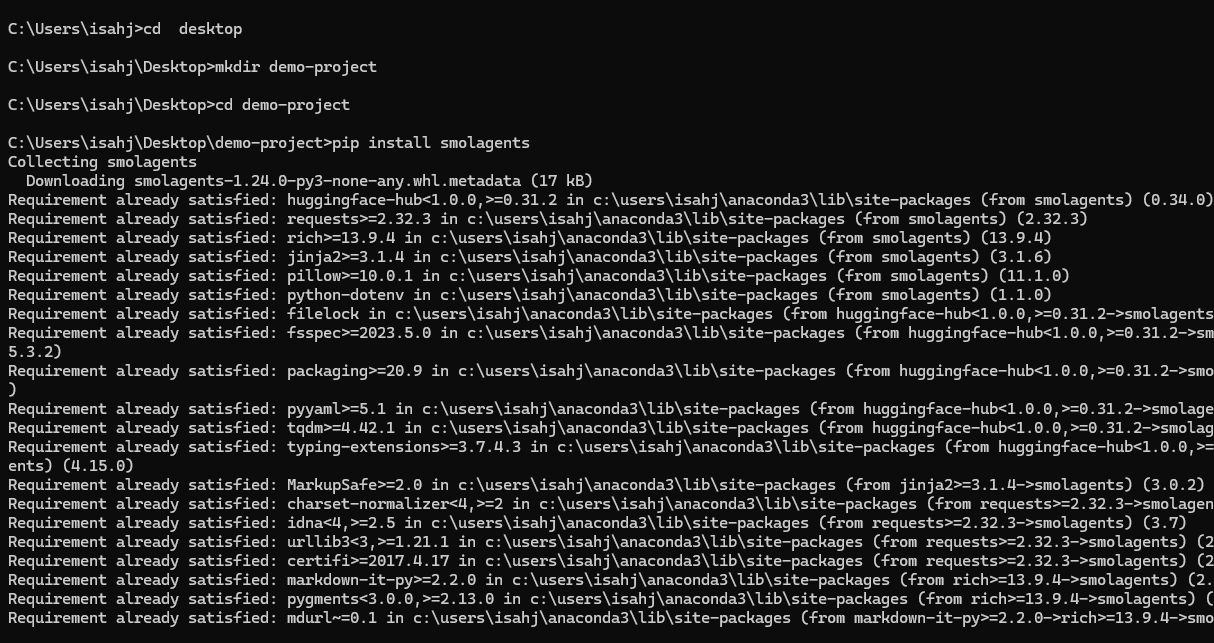
To begin, open a terminal or a new Colab notebook and install the library:
mkdir demo-project
cd demo-project
It is good practice to work inside a virtual environment; the prompt shows the environment name once it is active. Install the required packages:
pip install smolagents requests python-dotenvThat a working agent can be installed with a single command reflects the library’s minimalist philosophy.
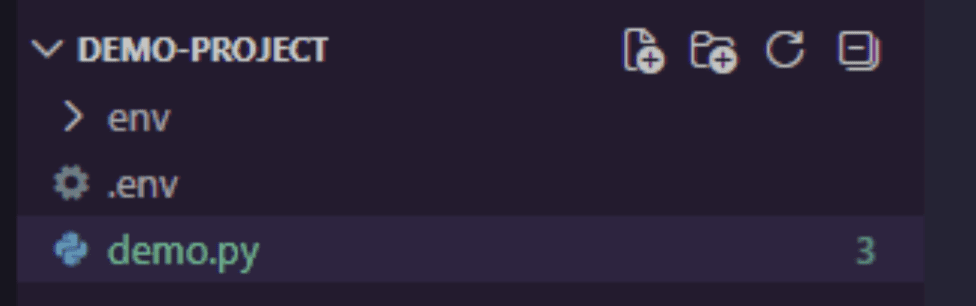
Next, store the access token. Keeping it in an environment variable — for example in a .env file — avoids hard-coding secrets. In Google Colab, the Secrets panel can hold an HF_TOKEN value that the code reads at runtime.
HF_TOKEN=your_huggingface_token_hereThe resulting project structure looks like this:
Creating a first agent: a weather fetcher
The first project is an agent that retrieves weather data for a given city. The agent needs a tool — simply a function the model is allowed to call. This example uses wttr.in, a free public service that returns weather data. Open a demo.py file and add the imports:
import requests
import os
from smolagents import tool, CodeAgent, InferenceClientModel
Then define the tool. The function’s docstring matters: the agent reads that description to understand what the tool does and how to call it, and the typed argument tells it what input to supply.
@tool
def get_weather(city: str) -> str:
    """
    Returns the current weather forecast for a specified city.
    Args:
        city: The name of the city to get the weather for.
    """
    # Using wttr.in which is a lovely free weather service
    response = requests.get(f"https://wttr.in/{city}?format=%C+%t")
    if response.status_code == 200:
        # The response is plain text like "Partly cloudy +15°C"
        return f"The weather in {city} is: {response.text.strip()}"
    else:
        return "Sorry, I couldn't fetch the weather data."
Configuring the language model
The agent needs a model to reason about which actions to take. This example uses Qwen2.5-Coder, a code-oriented model hosted on Hugging Face, authenticated with the token stored earlier.
hf_token = os.getenv("HF_TOKEN")
if hf_token is None:
    raise ValueError("Please set the HF_TOKEN environment variable")

model = InferenceClientModel(
    model_id="Qwen/Qwen2.5-Coder-32B-Instruct",
    token=hf_token
)
With a tool and a model in place, the agent itself can be created.
agent = CodeAgent(
    tools=(get_weather),
    model=model,
    add_base_tools=False
)
CodeAgent is a special agent type that writes Python code to solve a problem, executes that code in a sandboxed environment, and can chain several tool calls together. Here it is instantiated with the list of available tools and the configured model.
Running the agent
Now the agent can be given a task:
response = agent.run(
    "Can you tell me the weather in Paris and also in Tokyo?"
)
print(response)
Internally the model reasons about the request and produces a short script — for instance, calling the weather tool for one or more cities and combining the results.
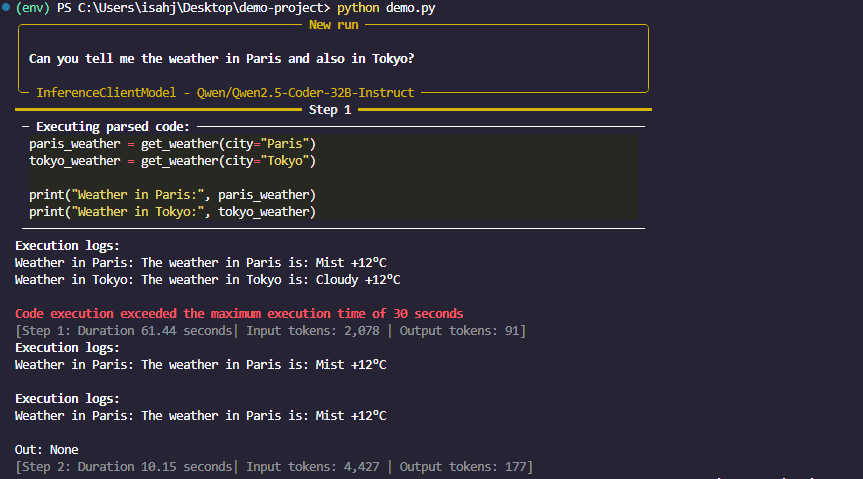
weather_paris = get_weather(city="Paris")
weather_tokyo = get_weather(city="Tokyo")
final_answer(f"Here is the weather: {weather_paris} and {weather_tokyo}")
The block above is the agent’s own reasoning, not code written by the developer.
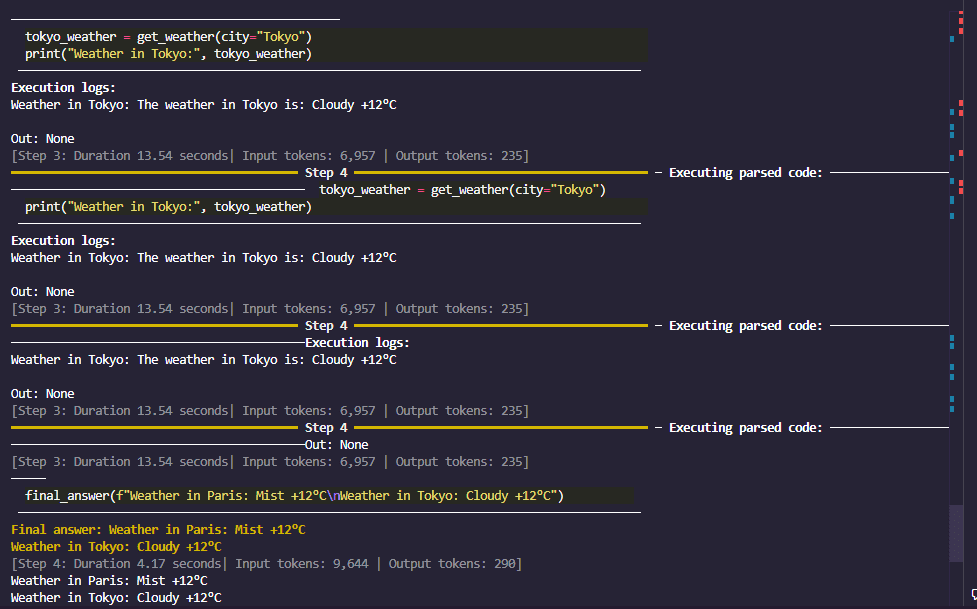
The agent executes that code, fetches the data, and returns a readable reply — a working code agent that reaches the web through an API.
How it works behind the scenes
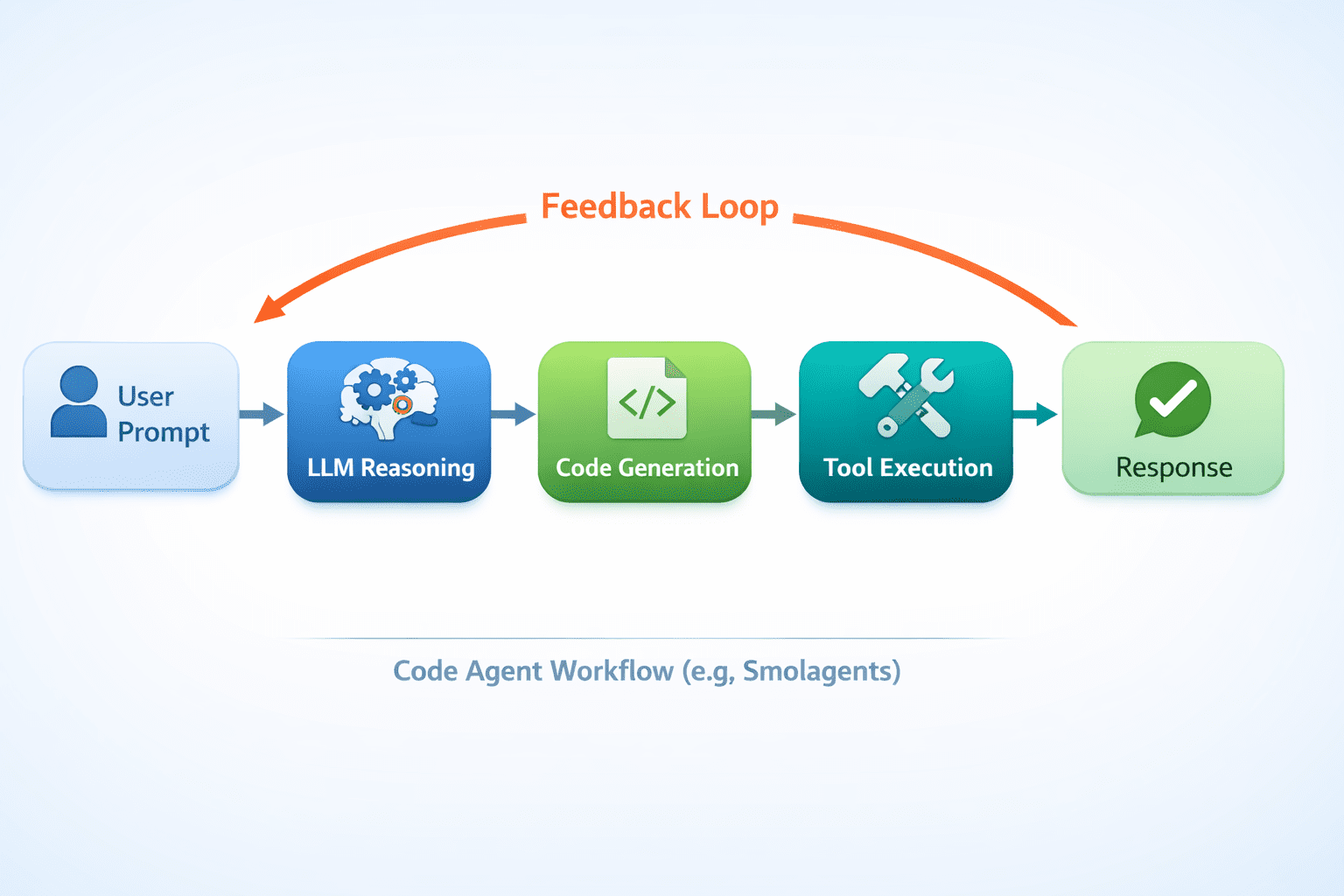
Each step follows a simple loop: the model thinks, writes a snippet, runs it, observes the result, and repeats until it can answer. This multi-step execution is what lets the agent break a task into parts and combine tool outputs.
Taking it further: adding more tools
An agent’s capability grows with its toolkit. Suppose the weather report should also be saved to a file; another tool can be added for that.
@tool
def save_to_file(content: str, filename: str = "weather_report.txt") -> str:
    """
    Saves the provided text content to a file.
    Args:
        content: The text content to save.
        filename: The name of the file to save to (default: weather_report.txt).
    """
    with open(filename, "w") as f:
        f.write(content)
    return f"Content successfully saved to {filename}"

# Re-initialize the agent with both tools
agent = CodeAgent(
    tools=(get_weather, save_to_file),
    model=model,
)
agent.run("Get the weather for London and save the report to a file called london_weather.txt")The agent can now both retrieve data and write to the local file system. Combining small, well-described tools in this way is what makes code agents so flexible.
Limitations and what to watch
A few practical cautions apply. Because a CodeAgent executes model-generated code, it should always run in a sandbox rather than directly on a host, and tools that touch the file system or the network should be scoped carefully. Free API tiers carry rate limits, and a smaller model will occasionally write code that fails or misuses a tool, so output should be checked rather than trusted blindly. Agent behavior also varies with the underlying model, so swapping models can change both quality and cost.
Conclusion
In a short time and with relatively little code, smolagents makes it possible to build a functional agent that writes and runs Python to accomplish a task. Its small, readable codebase and code-first design make it a practical entry point for experimenting with agents before moving to heavier frameworks.
