
Talking to the Inbox: What Voice AI Actually Changes at Work
Google put Gemini voice into Gmail, Docs and Keep. What voice AI for small business changes, what it costs, and one small way to test it this week.
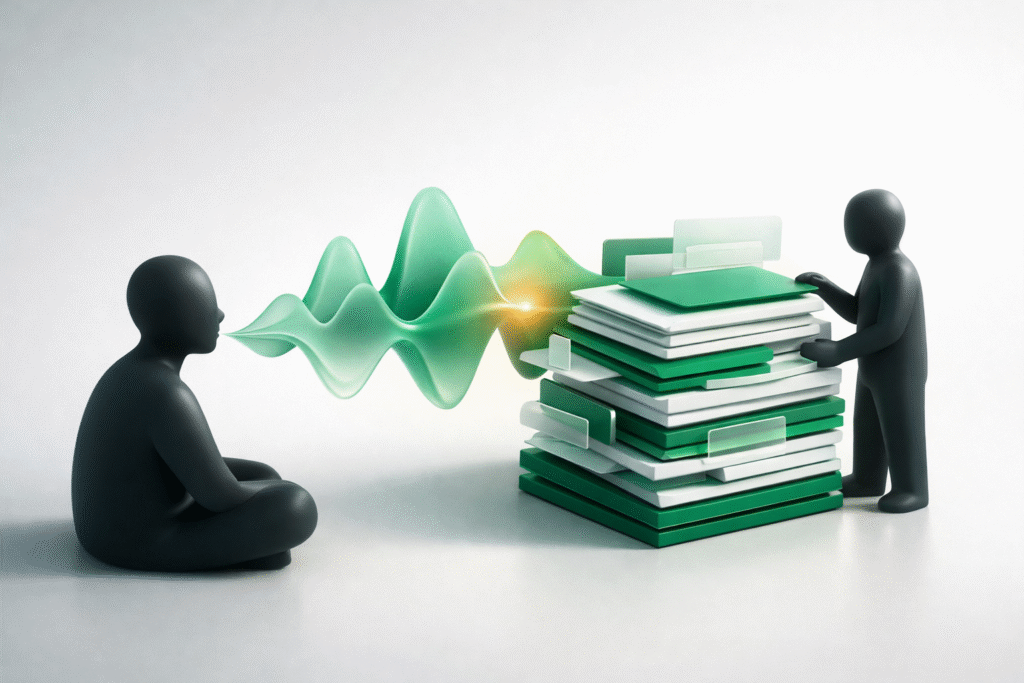
Most people speak roughly three times faster than they type. That gap has been measured for years and mostly ignored, because talking to a computer used to produce a transcript so messy that cleaning it up cost more time than the speed ever saved. Something shifted this month. On September 3, Google began rolling out Gemini Live voice features inside Gmail, Docs and Keep, as TechCrunch reported, putting a conversational assistant directly into three tools a lot of small teams already open every morning. For anyone weighing up voice AI for small business use, the question is no longer whether the transcription works. It is whether speaking is genuinely a better way to do the work.
What Google actually shipped
The three features are called Gmail Live, Docs Live and Keep Live, and they were previewed at Google I/O in May before reaching iOS and Android this month. Gmail Live lets a person ask plain questions about the contents of their inbox instead of guessing at keyword searches, with a live transcript running on screen as the assistant answers. Docs Live will draft from a spoken description and pull in context from Gmail, Drive and the web while it writes. Keep Live handles voice-driven note organization.
Google is not alone in the direction of travel. Meta AI now reaches across WhatsApp, Messenger, Instagram and Facebook, and since January 2026 it has been the only general-purpose assistant WhatsApp permits, after a Meta platform policy change pushed Microsoft Copilot and other outside chatbots off that channel. Specialized business agents are still allowed. The pattern worth noticing is that the assistant layer is moving into the apps people already use, rather than sitting in a separate tab waiting to be visited.
The speed argument, honestly
The numbers behind voice look excellent on paper. Typing averages 40 to 60 words per minute while speech runs at 130 to 150, and a 2025 study across 72 accents recorded 93 words per minute by voice against 21.5 by keyboard. That same analysis is careful to add that once editing time goes back in, the realistic advantage lands closer to 2.5x than 4x. Computerworld’s reporting on the rise of dictation at work describes the current generation as a two-stage system: a speech engine such as Whisper, benchmarked around 97.9% word accuracy, handles the transcription, then a language model strips filler words, repairs punctuation and adjusts tone to fit the app being written in.
That is a real improvement on dictation five years ago. It is also not the same thing as thinking faster. Speed of output is not speed of judgment, and a first draft that arrives in ninety seconds still needs the same scrutiny a typed one would have needed.
Where voice AI for small business fits, and where it does not
The honest fit is narrower than the announcements suggest, and useful inside that narrow band. Voice earns its place in the gaps of the day: summarizing a client call on the walk back to the car, dictating a follow-up between appointments, capturing an idea before it evaporates. Owners who run a good part of the business from a phone gain the most here. Retrieval is the other genuine win, because asking an inbox a plain question beats trying to remember which word the sender happened to use. Getting value out of any of it still depends less on the feature than on whether anyone in the business has been shown how to use these tools well.
Where it fits badly is anything precise or binding. Numbers, contract wording, pricing, anything a client will hold you to. Those want a keyboard and a second read. There is also a quieter cost the launch posts skip over: speaking to a machine in a room with other people in it is socially awkward, and open-plan offices are reportedly getting louder as dictation spreads, with some teams now marking out quiet zones for typing and voice zones for talking.
The part nobody puts in the announcement
None of this is free or universal. Gmail Live requires a Google AI Plus, Pro or Ultra subscription, Docs Live is limited to Pro and Ultra, and Keep Live is Android only for now. All three currently support English only, which for a globally distributed set of small businesses is a real limit rather than a footnote. Anyone already tracking what AI actually costs across their stack should treat this as another line to add, not something that arrives bundled with the plan they already pay for.
One small thing to try this week
Pick the single most repetitive piece of writing in the week. Probably a recap, a status note, or the same reply sent over and over to different people. Speak it once instead of typing it, then time how long the cleanup takes. If the cleanup is short, the habit is worth keeping and can spread to the next task. If it is long, that task wanted a keyboard, and knowing which is which is worth more than the two minutes it cost to find out. One task is a cheap enough experiment that nobody needs permission to run it.
The more interesting question underneath all of this has little to do with speed. When the fastest way to produce work becomes talking, the bottleneck moves to how clearly a person can think out loud, and that is a skill almost nobody has been taught and very few have practiced since school.
In this article

Four Hours Back, One Awkward Question: AI Meeting Notetakers
AI meeting notetakers save small teams about four hours a week. Consent laws, a live wiretap case and quieter meetings are the other half of the deal.