
Data collaboration underpins modern AI work, especially when organizations partner externally to unlock new insights — but privacy rules and intellectual-property protection make sharing sensitive data difficult. Databricks Clean Rooms exist to bridge that gap: a way to run shared analytics on sensitive data without exposing the data itself. Below are the ten questions practitioners ask most often, covering what clean rooms are, how they protect data and IP, how they work across clouds and platforms, and how to get started.
1. What is a “data clean room”?
A data clean room is a secure environment where multiple parties can work together on sensitive data and extract useful insights without sharing the underlying raw data. In Databricks, a clean room is created, the relevant assets are added, and only approved notebooks run — inside an isolated, governed environment.
2. What are typical use cases?
Clean rooms fit any situation where several parties must analyze sensitive data they cannot hand over — because of privacy regulation, contracts, or IP protection. They appear across advertising, healthcare, finance, government, transportation, and data monetization. In advertising and marketing, they power identity resolution, campaign planning and measurement, and retail-media collaborations without exposing personally identifiable information; partners including Epsilon, The Trade Desk, Acxiom, LiveRamp, and Deloitte work with Databricks Clean Rooms in this space. In financial services, banks, insurers, and card networks combine data for fraud detection and analysis — Mastercard, for example, uses clean rooms to match and analyze PII-bearing data for fraud detection.
3. What does that look like in practice?
Three sketches: a retailer, a CPG brand, and a market-research firm share anonymized views — hashed customer IDs, aggregate sales metrics, regional demographics — to analyze campaign reach jointly. A streaming platform and an advertising agency share impression tables plus a notebook that computes cross-platform audience metrics. A bank and a fintech partner share volumes containing risk and fraud models and jointly score them via a notebook, keeping individual records private.
4. How does it compare with Delta Sharing?
Delta Sharing is the right choice when one party needs read-only access to data and seeing the underlying records is acceptable — a retailer giving a supplier read access to a sales table, for instance. A clean room adds a controlled space for multi-party analysis when the data must stay private: partners join richer, more sensitive assets from both sides, run mutually approved code, and release only agreed outputs such as demand forecasts. Under the hood, data shared into a clean room still travels over the Delta Sharing protocol.
5. How are sensitive data and IP kept secure?
Partners can never see raw data or proprietary code. Data stays in each party’s own Unity Catalog, with only specified assets shared into the clean room. Collaborators see only the schema — column names and types — not row-level data. Only mutually approved notebooks can execute, on serverless compute in an isolated environment; notebooks write to temporary output tables, so each party controls exactly what leaves the room; and outbound network traffic is restricted through serverless egress controls. Proprietary logic can be packaged as a private library in a Unity Catalog volume and referenced from a notebook without revealing source code.
6. Can collaborators on different clouds join the same clean room?
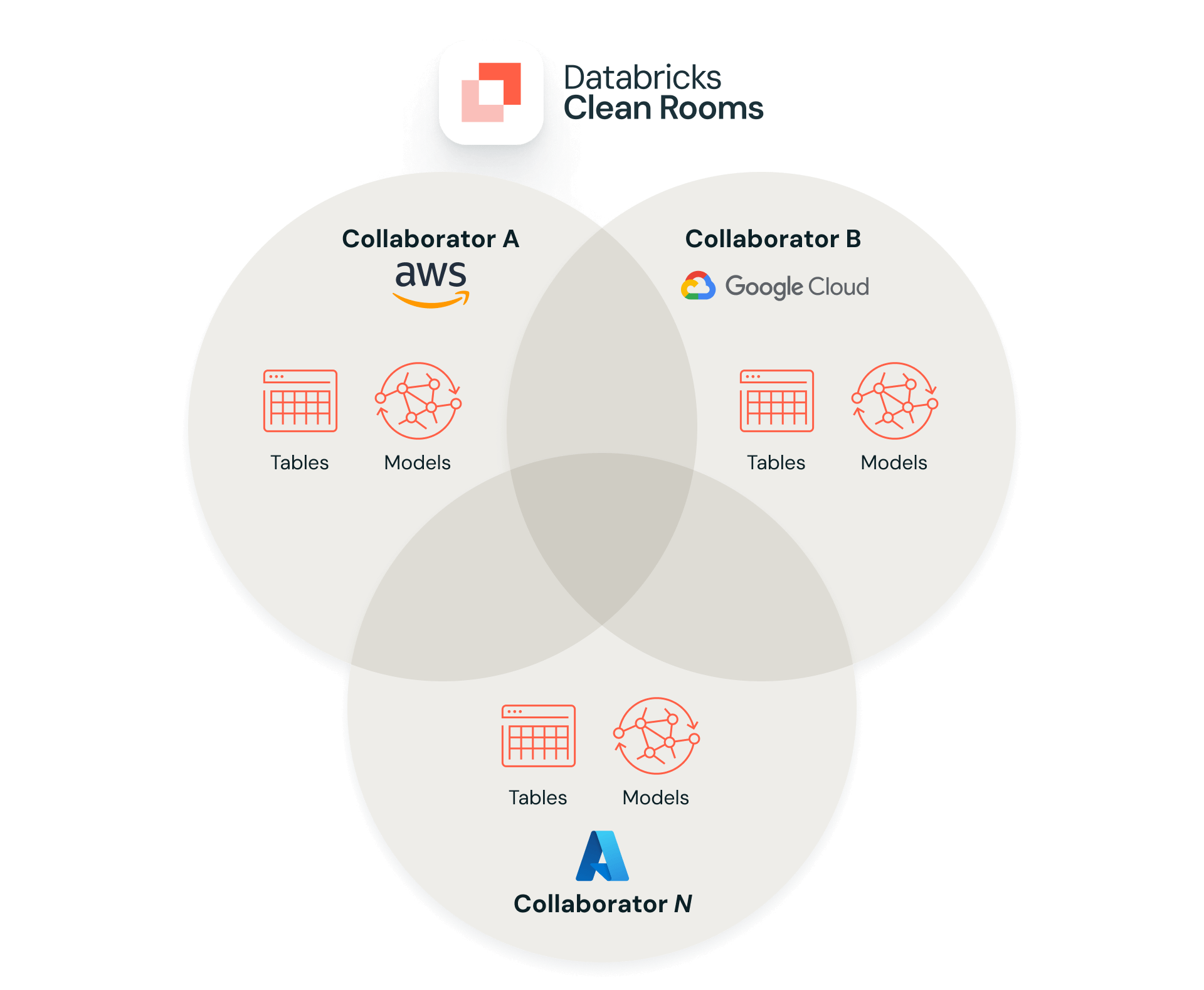
Yes. Clean rooms are designed for multicloud and cross-region collaboration: an organization on Azure Databricks can collaborate with partners on AWS or GCP, provided each participant has a Unity Catalog-enabled workspace with Delta Sharing enabled on its metastore.
7. Can data come from Snowflake, BigQuery, or other platforms?
Yes. Lakehouse Federation exposes external systems such as Snowflake, BigQuery, and traditional warehouses as foreign catalogs, so those assets can be brought into a clean-room collaboration without first migrating them.
8. How do analyses actually run on combined data?
Nearly everything happens through notebooks. One party adds a SQL or Python notebook containing the analysis; partners review and approve it; then it runs.
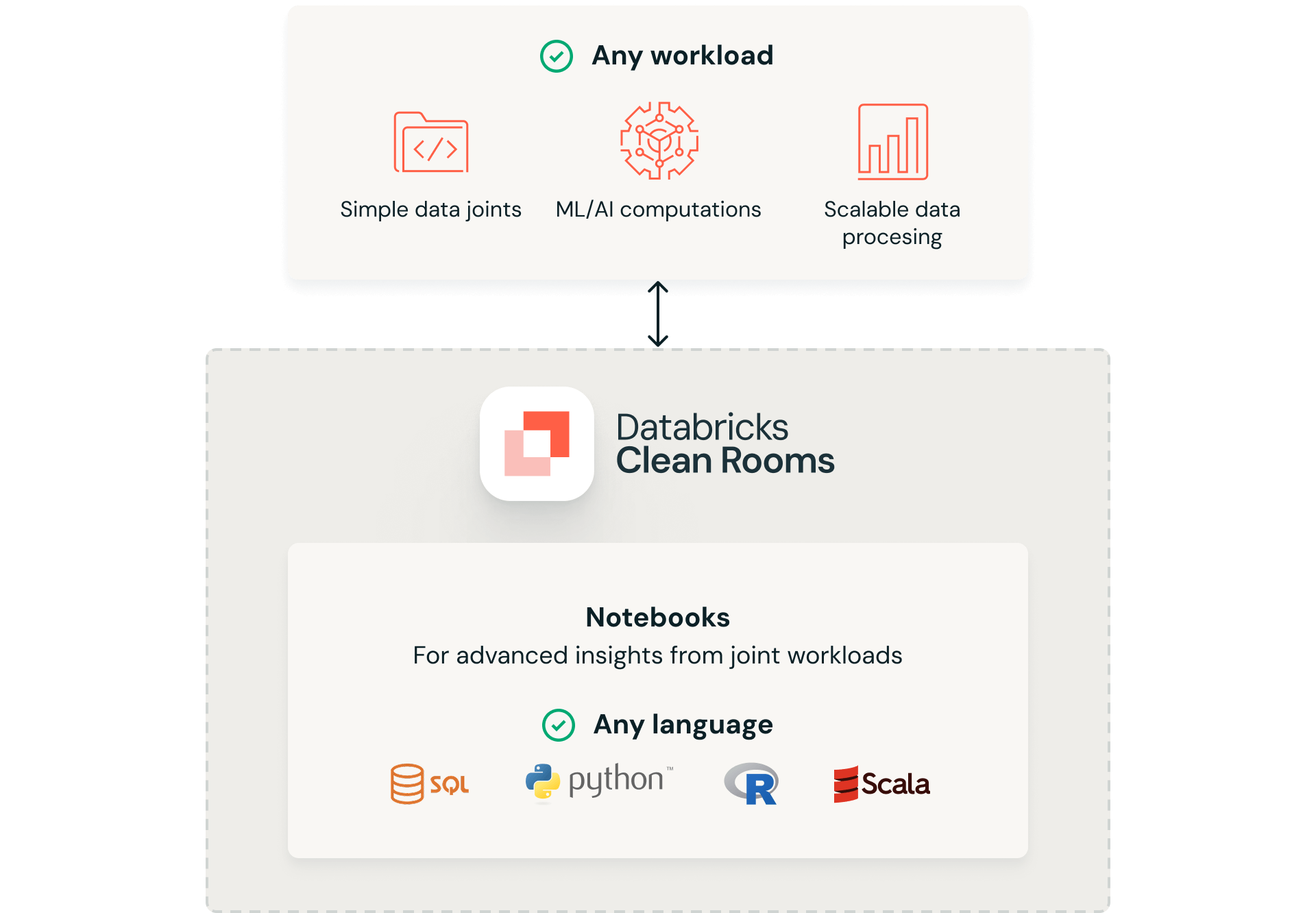
A simple case: a SQL notebook computes the overlap of hashed IDs between a retailer’s purchases and a media partner’s impressions, then reports reach, frequency, and conversions. A more advanced case: a Python notebook engineers features from both sides, trains or scores a model on the combined data, and writes predictions to an output table. The approved runner sees the output — no one sees the other party’s raw records.
9. How does multi-party collaboration work?
A Databricks clean room supports up to 10 organizations — the creator plus nine partners — even across different clouds and platforms. Each party keeps its data in its own Unity Catalog and shares only chosen tables, views, or files. Any party can propose notebooks, and every notebook requires approval before it runs.
10. How to get started
The path is short: confirm Unity Catalog, Delta Sharing, and serverless compute are enabled in the workspace; create a clean-room object in the Unity Catalog metastore and invite partners using their sharing identifiers; have each party connect the data assets and notebooks they want to use; and once notebooks are approved, run the analysis and review outputs. Full details are in the Databricks Clean Rooms documentation.
Limitations and what to watch
Clean rooms reduce, but do not eliminate, privacy risk: aggregate outputs can still leak information if queries are poorly designed, so output review and, where appropriate, differential-privacy techniques remain the collaborators’ responsibility. The approval workflow adds governance overhead that suits recurring partnerships better than one-off questions, and serverless compute requirements may not fit every deployment. Capabilities such as participant limits and federation support evolve quickly — the product page carries current specifics. Related reading on this site: Databricks spatial joins performance and structured versus unstructured data.
