
Introduction
An online portfolio is no longer optional. It is usually the first thing people check when they want to see what a candidate can actually do — not the CV, not the LinkedIn profile, but the work itself. For developers, data scientists, ML engineers, designers, and learners alike, a portfolio gives projects a place to live. And paid hosting is not required to build one.
Hugging Face Spaces is one of the most overlooked tools for this. It is free, easy to deploy to, and more than good enough for hosting a clean personal site with live demos — simple and static, or interactive where the work calls for it. This guide, based on an article by machine learning engineer and technical writer Kanwal Mehreen, covers what Spaces is, why it suits portfolios, and how to deploy one step by step.
What is Hugging Face Spaces?
Hugging Face Spaces is a hosting platform in which each Space is a Git repository hosted on the Hugging Face Hub — files can be uploaded through the web interface, pushed with Git, or synced from a GitHub repository, which keeps deployment simple even for beginners. Originally designed for showcasing machine learning demos, the platform now supports a much wider range of uses: static websites, Python applications, interactive user interfaces, and fully functional AI-powered demos. A Space can be built with:
- Static HTML/CSS/JS
- Gradio (a Python UI framework)
- Streamlit (a Python framework for data apps and dashboards)
- Docker, for full control over the environment
For portfolios, that flexibility is the main advantage — the same free platform can serve a simple static site today and an interactive ML demo tomorrow. Full details are in the official Spaces documentation.
Step 1: Create a Hugging Face account
Go to huggingface.co and sign up for a free account.
Step 2: Prepare the portfolio
Option A: a static website (HTML/CSS/JS). The project folder might look like this:
portfolio/
│── index.html
│── style.css
│── script.js
Option B: a Python-based portfolio (Gradio or Streamlit), which needs an app.py file and a requirements.txt listing dependencies.
Step 3: Create a new Space
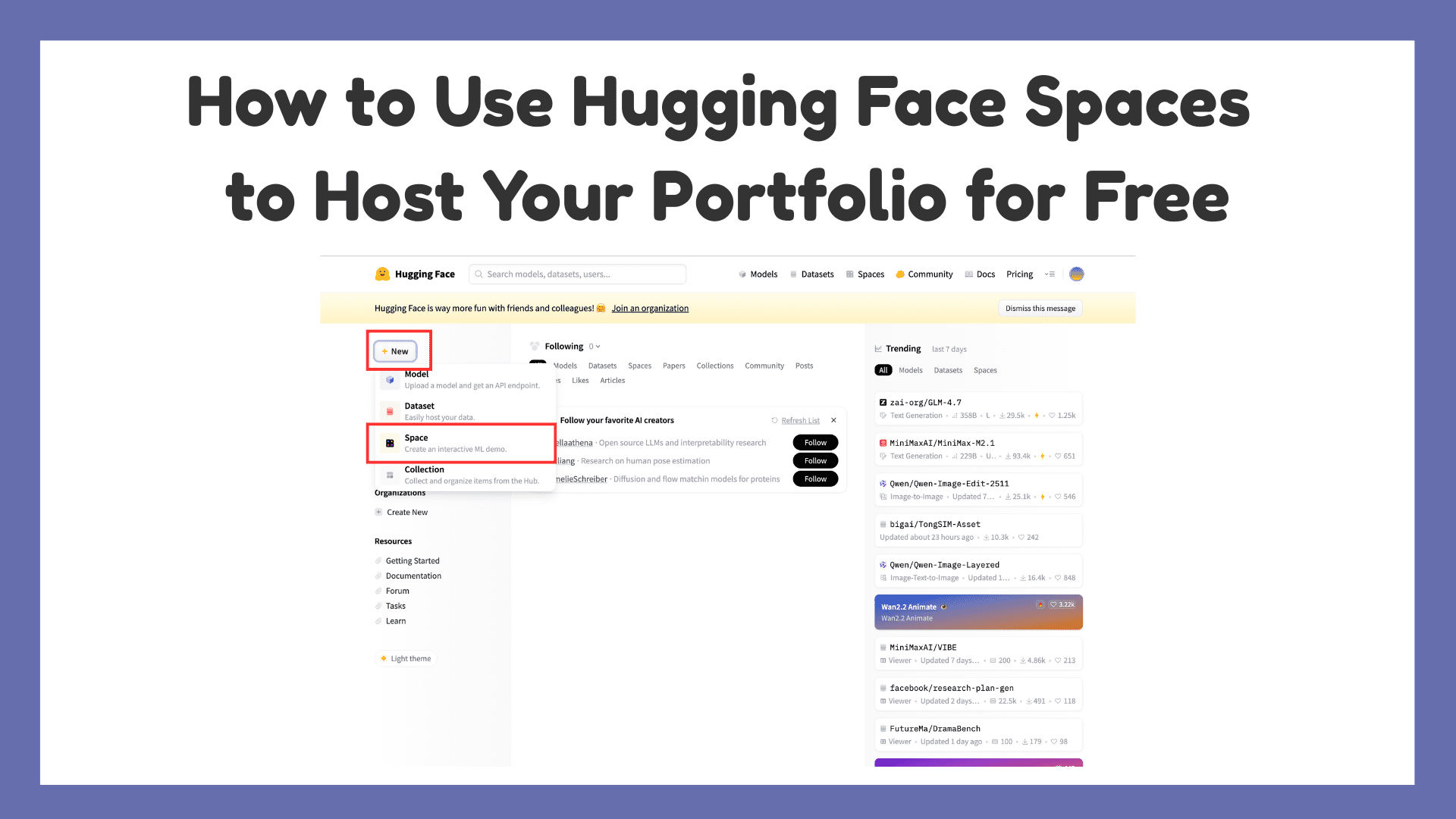
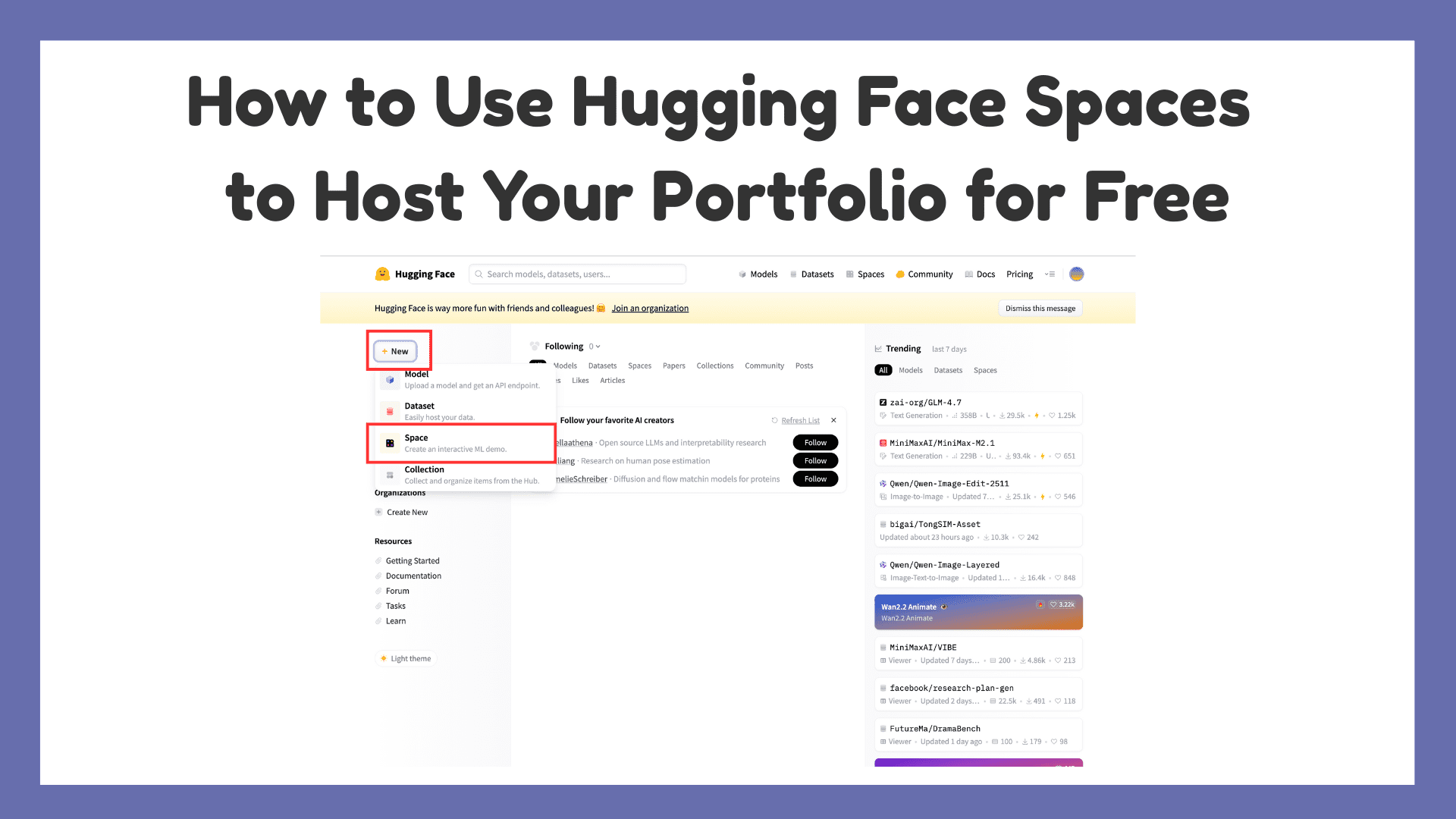
Click New Space:

This opens the configuration page:

Choose an owner (the username), a Space name such as my-portfolio, a license (MIT is a common choice), and the SDK: Static for HTML/CSS/JS portfolios, Gradio for Python-based interactive portfolios, or Streamlit for data dashboards. Then click Create Space.

Step 4: Upload code or connect a repository
Files can be uploaded directly or synchronized from a GitHub repository. For the Static SDK, uploading index.html and assets is enough. For Gradio or Streamlit, make sure app.py exists and requirements.txt lists the dependencies — Hugging Face builds and deploys the Space automatically. With the Gradio SDK selected, the next step is creating the app.py file:
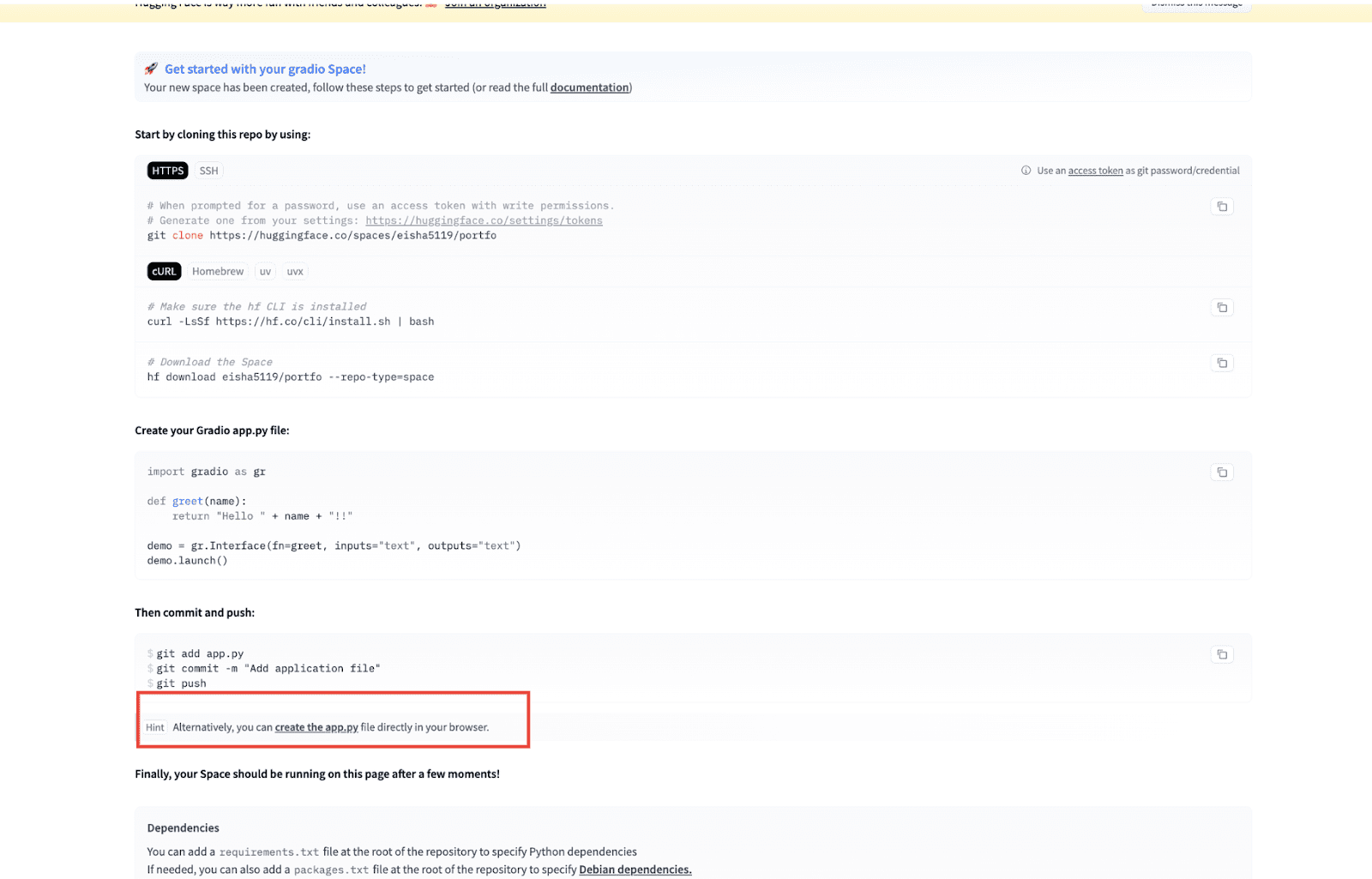
Which opens the editor:
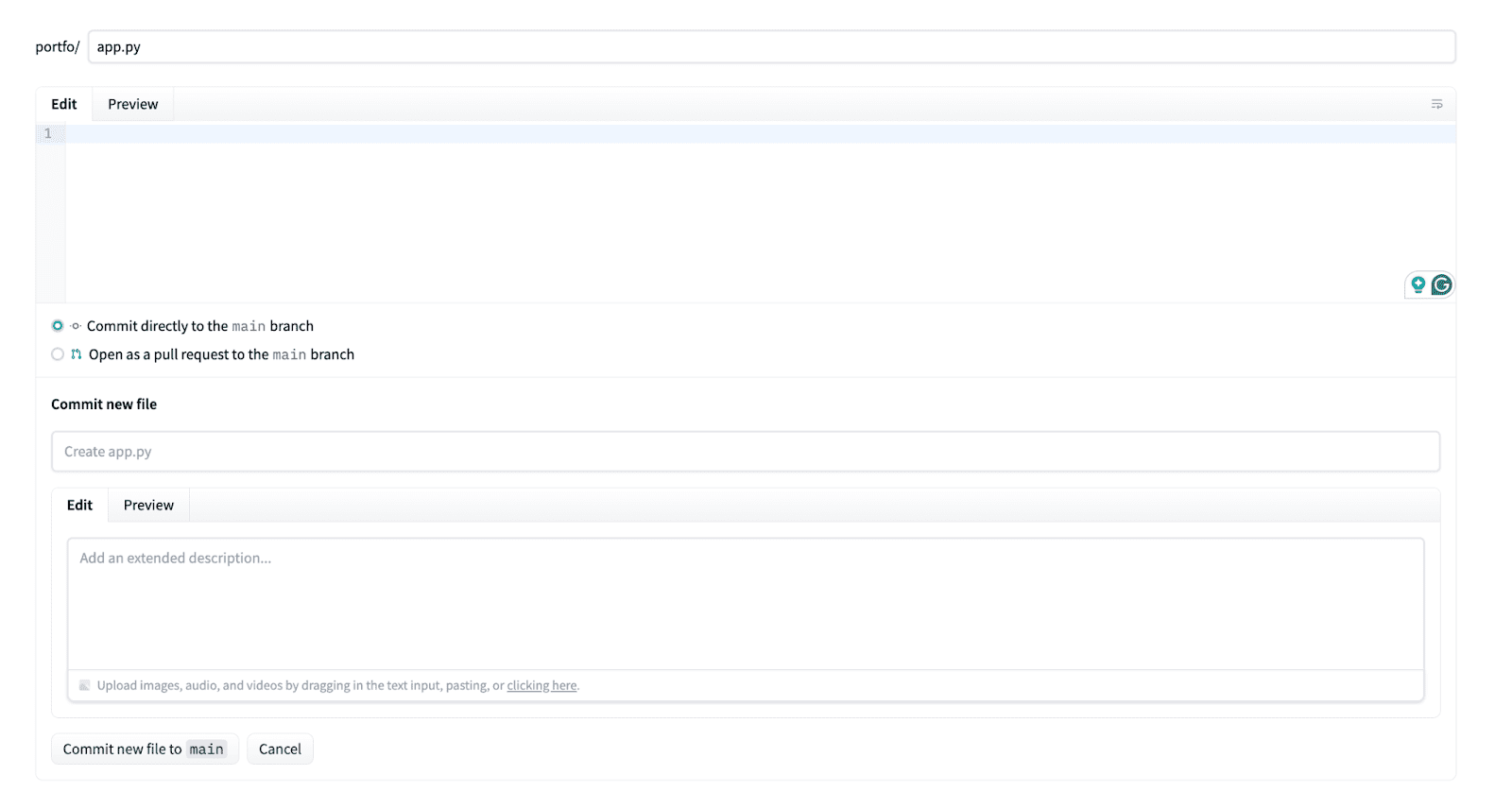
Edit app.py as needed:
import gradio as gr

def contact_message(name, message):
    return f"Thanks {name}! Your message has been received 😊"

with gr.Blocks(title="Eisha's Portfolio") as demo:
    gr.Markdown(
        """
        # 👋 Hi, I'm Kanwal
        ### AI / ML Enthusiast | Python Developer

        Welcome to my portfolio!
        I enjoy building AI-powered applications and clean backend systems.
        """
    )

    gr.Markdown("## 🚀 Projects")
    gr.Markdown(
        """
        **🔹 PDF Parser with LangChain**
        Custom PDF parsing with header/footer removal and LLM integration.

        **🔹 Case Similarity Finder (FYP)**
        Finds similar medical/legal cases using LLaMA-based embeddings.

        **🔹 AI Chatbot Demo**
        Conversational AI built using Hugging Face models.
        """
    )

    gr.Markdown("## Resume")
    gr.Markdown(
        "(Download my resume)(https://example.com/resume.pdf)"
    )

    gr.Markdown("## Contact Me")
    name = gr.Textbox(label="Your Name")
    message = gr.Textbox(label="Your Message", lines=3)
    output = gr.Textbox(label="Response")
    submit = gr.Button("Send Message")
    submit.click(contact_message, inputs=(name, message), outputs=output)

    gr.Markdown(
        """
        ---
        🔗 **GitHub:** https://github.com/yourusername
        🔗 **LinkedIn:** https://linkedin.com/in/yourprofile
        """
    )

demo.launch()
Then click “Commit new file to main”:

Step 5: The portfolio is live
On the Space page, the App tab shows the deployed site:

Clicking through displays the live portfolio:
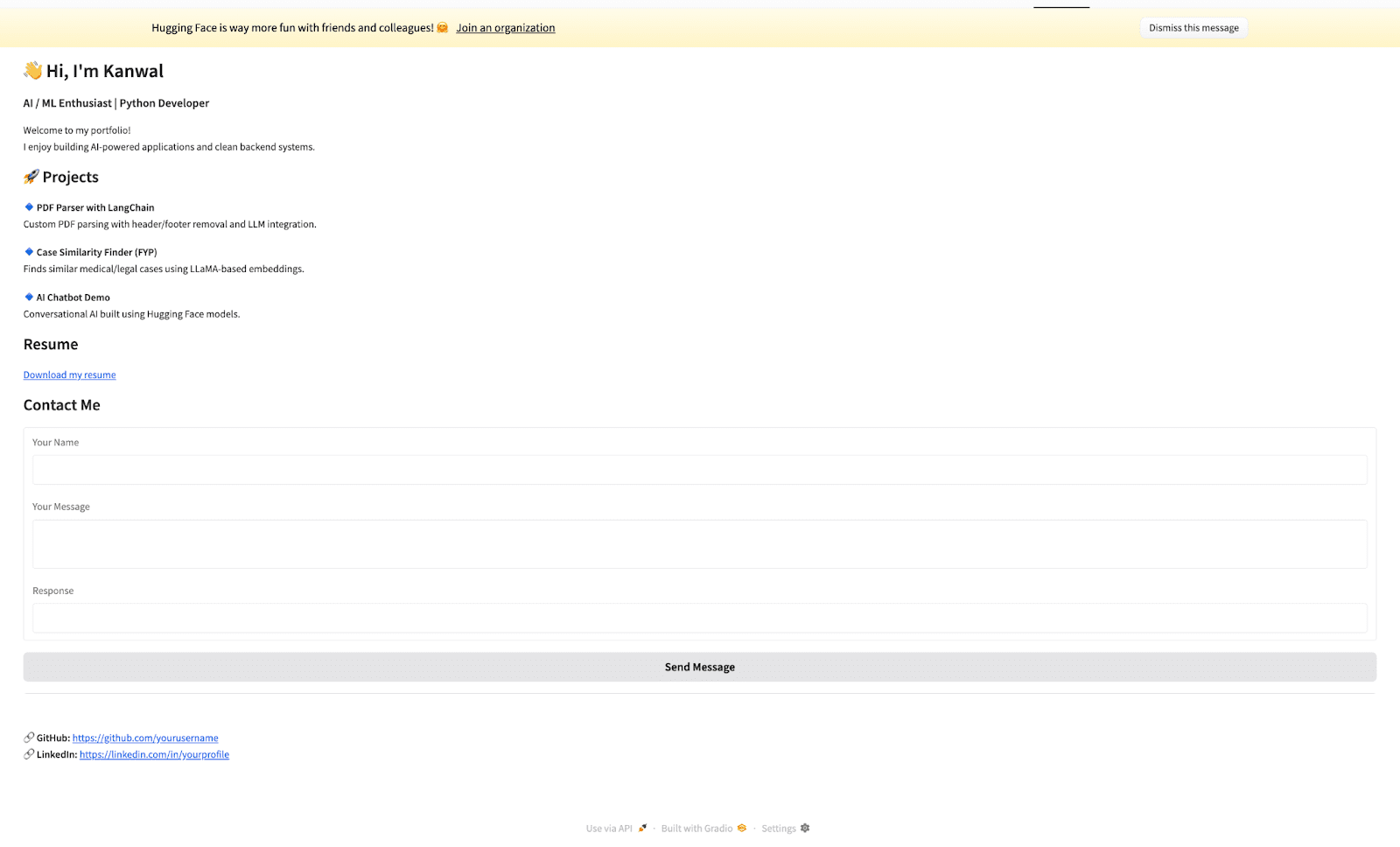
The Space is also reachable directly at its hf.space URL — a live, shareable portfolio link. And a portfolio hosted this way does not have to stay static: it can include an about section, live project demos, a downloadable résumé, contact links, and GitHub and LinkedIn profiles. With Gradio, the whole thing becomes interactive.
Tips for a portfolio that stands out
- Add live demos: ML models, chatbots, NLP tools, or data visualizations demonstrate skill far better than screenshots.
- Keep it light: free Spaces run on a shared CPU tier with resource limits, so optimize images and assets.
- Use a clean UI: minimal design with restrained animations reads as professional.
- Write a good README.md: the Space page displays its README content, so it doubles as a landing page.
Limitations and what to watch
- Free Spaces have modest CPU and memory allocations and go to sleep after a period of inactivity, adding a cold-start delay for the first visitor; paid hardware upgrades remove these limits.
- A Space lives on a huggingface.co subdomain-style URL — for a personal custom domain, a separate host or a redirect is needed.
- Spaces is best suited to audiences comfortable with a technical platform; for non-technical hiring contexts, a conventional website may present better.
- Platform capabilities and quotas change over time; the linked documentation is the current authority.
Final thoughts
Hugging Face Spaces is more than a demo platform — it is a free, modern hosting option genuinely well suited to portfolios. For anyone whose work involves code, data, or AI, hosting a portfolio with live, running demos immediately sets it apart from a traditional static site. A portfolio should not just describe the work; it should show it running. Builders going further with Python-based AI demos may also find this roundup of Python libraries for LLM applications useful.
Based on material by Kanwal Mehreen, a machine learning engineer and technical writer focused on the intersection of AI, data science, and medicine, co-author of “Maximizing Productivity with ChatGPT,” Google Generation Scholar 2022 (APAC), and founder of FEMCodes, which supports women in STEM.
