

Most AI applications still display models as chat boxes. That interface is simple, but it hides what agents are actually doing, like planning steps, calling tools, and updating status. Generative UI is about allowing the agent to drive real interface elements, for example tables, charts, forms, and progress indicators, so the experience feels like a product, not like a log of tokens.

What is Generative UI?
The CopilotKit team explains generative UI as any user interface that is partially or completely generated by an AI agent. Instead of just returning text, The agent can run:
- Stateful components like forms and filters
- Visualizations such as charts and tables
- Multistep flow like wizards
- Status surfaces such as progress and intermediate results

The main idea is that the UI is still implemented by the application. The agent describes what should change, and the UI layer chooses how to present it and keep the state consistent.
Three main patterns of generative UI:
- Static Generative UI: The agent selects from a fixed list of components and fills in the props
- Declarative Generative UI: The agent returns a structured schema that the renderer maps onto components.
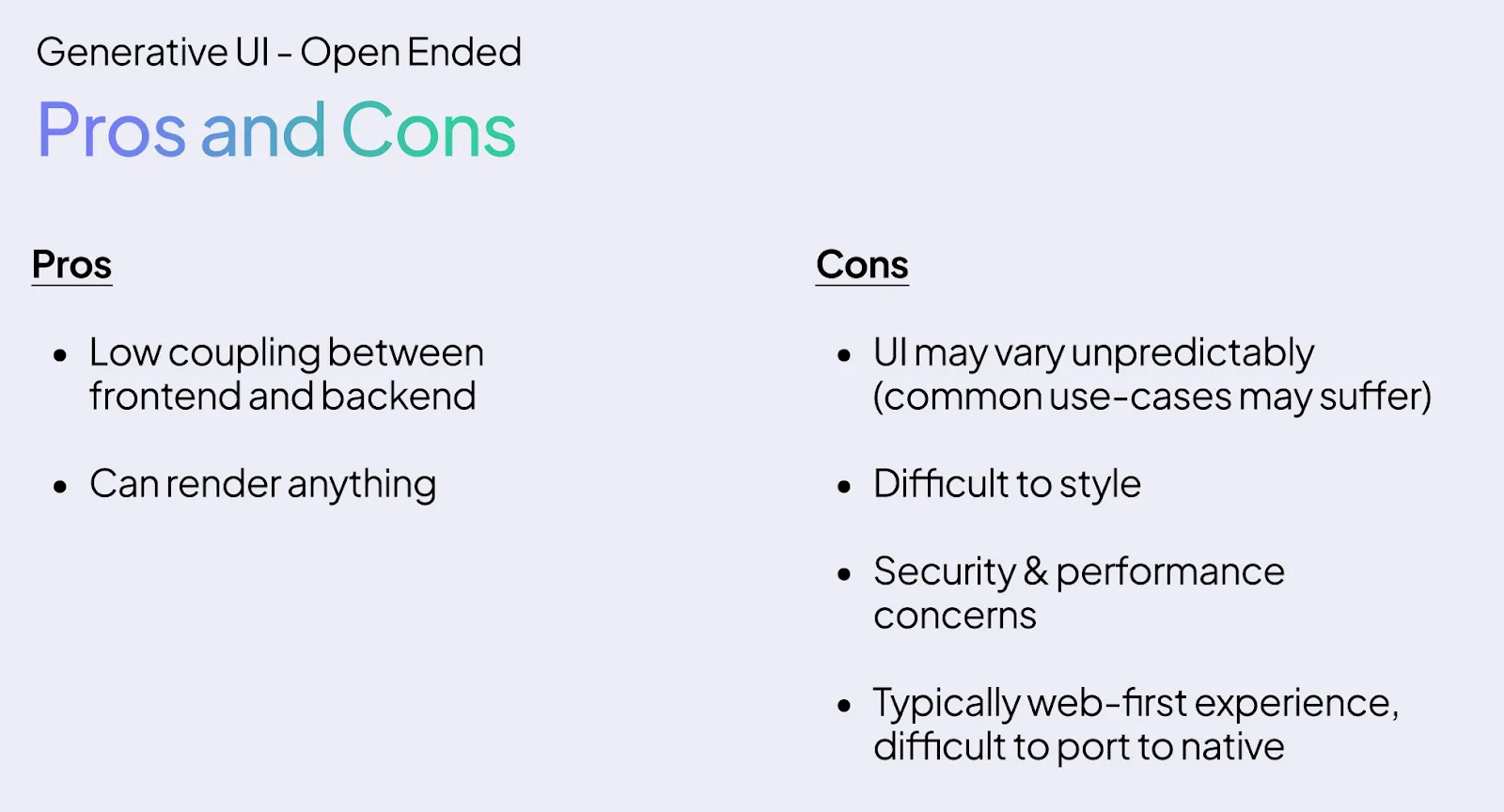
- Fully generated UI: Model emits raw markup like HTML or JSX
Most production systems today use static or declarative forms, because they are easier to secure and test.
you can also download Generative UI guide here.
But why is this necessary for the devs?
The main problem in agent applications is the relationship between the model and the product. Without a standard approach, each team creates custom web-sockets, ad-hoc event formats, and one-to-one ways to stream tool calls and status.
Generative UI, combined with protocols like AG-UI, gives a coherent mental model:
- Agent exposes backend state, tool activity, and UI intent as structured events
- Frontend consumes those events and updates components
- User interactions are converted back into structured signals on which the agent can reason.
CopilotKit packages it in its SDKs with hooks, shared state, typed actions, and generative UI helpers for React and other frontends. This lets you focus on agent logic and domain specific UI instead of inventing protocols.
How does this affect end users?
For end users, the difference becomes visible as soon as the workflow becomes non-trivial.
A data analysis co-pilot can show filters, metric pickers, and live charts instead of describing plots in text. A support agent can put record editing forms and status deadlines up front instead of lengthy explanations of what they did. An operations agent can display task queues, error badges, and retry buttons for the user to perform tasks on.
This is what CopilotKit and the AG-UI ecosystem call agentic UI, a user interface where the agent is embedded in the product and updates the UI in real time, while the user remains in control through direct interaction.
Protocol Stack, AG-UI, MCP Apps, A2UI, Open-JSON-UI
Several specifications define how agents express UI intent. CopilotKit’s documentation and AG-UI documentation summarize the three main generative UI specifications:
- A2UI from Google, a declarative, JSON based generative UI spec designed for streaming and platform agnostic rendering
- Open-JSON-UI from OpenAI, an open standardization of OpenAI’s internal declarative generative UI schema for structured interfaces.
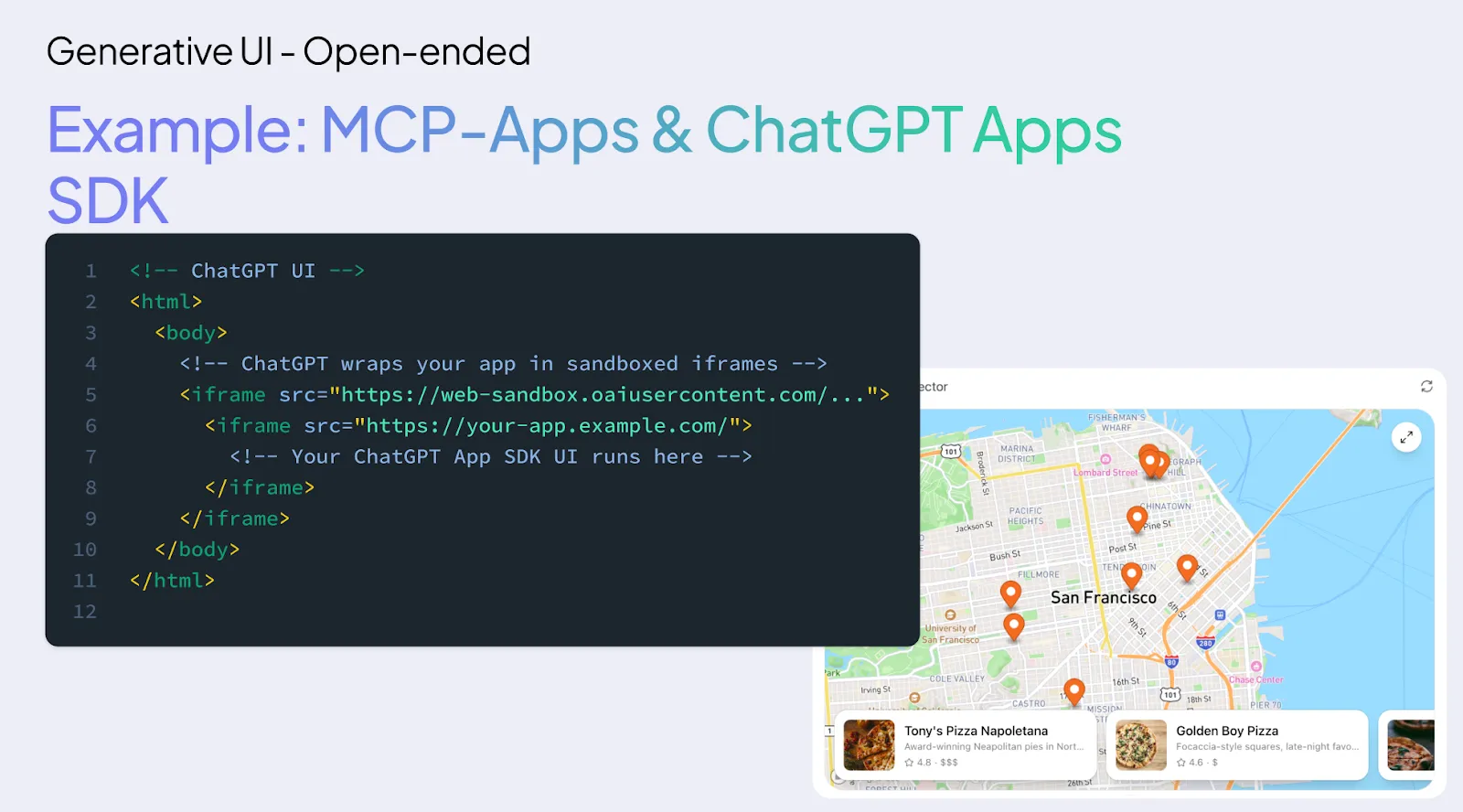
- MCP Apps from Anthropic and OpenAI, a generative UI layer on top of MCP where tools can return iframe based interactive surfaces
These are payload formats. They describe what UI to present, for example a card, table, or form, and the associated data.

AG-UI sits on a separate layer. It is the Agent User Interaction Protocol, an event-driven, bi-directional runtime that connects any agent backend to any server-sent event or frontend over a transport such as WebSocket. AG-UI carries:
- Lifecycle and message events
- State snapshot and delta
- device activity
- user actions
- Generative UI payloads like A2UI, Open-JSON-UI, or MCP apps
MCP connects agents to tools and data, A2A connects agents to each other, A2UI or Open-JSON-UI defines the declarative UI payload, MCP Apps defines the iframe based UI payload, and AG-UI takes it all between the agents and the UI.
key takeaways
- Generative UI is structured UI, not just chat: Agents emit structured UI intents such as forms, tables, charts, and progress, which the app renders as real components, so the model controls the stateful view, not just the text stream.
- AG-UI is the runtime pipe, A2UI and Open JSON are the UI and MCP apps payload: AG-UI executes events between the agent and the frontend, while A2UI, Open JSON UI, and MCP UI define how the UI is described as a JSON or iFrame based payload that renders the UI layer.
- CopilotKit standardizes agent UI-wiring: The CopilotKit SDK provides shared state, typed actions, and generative UI helpers so that developers don’t have to create custom protocols for streaming state, tool activity, and UI updates.
- Static and declarative generative UI are production-friendly: Most real apps use static catalogs of components or declarative specifications like A2UI or Open JSON UI, which place security, testing, and layout controls in the host application.
- User interactions become first-class events for the agent: Clicks, edits, and submissions are converted into structured AG-UI events, with the agent consuming them as input for planning and tool calls, closing the human in the loop control cycle.
Generative UI seems abstract until you see it running.
If you want to know how these ideas translate into real applications, copilotkit Is open source and actively used to create agent-native interfaces – from simple workflows to more complex systems. Dive into the repo and find the pattern GitHub. All this is built in the open.
you can find here Additional Learning Materials for Generative UI. you can also download Generative UI guide here.
generative-ui
