

AWS has announced a serverless capability for Amazon SageMaker AI with MLflow that dynamically manages the provisioning, scaling and operation of infrastructure for AI and machine learning development. The service scales resources up during intensive use and down to zero when idle, cutting operational overhead. The release also introduces enterprise-scale features — cross-account sharing, automatic version upgrades and simplified access management — along with integration into SageMaker capabilities such as model optimization and pipelines, all without administrator configuration.
In plain terms: MLflow is the most widely used open-source tool for tracking machine learning experiments — what was trained, with which parameters, and how it performed. Until now, running it at company scale meant provisioning and maintaining tracking servers. AWS is turning that into a managed, serverless service. This overview looks at what the new capabilities mean for large MLflow workloads, from generative AI agents to large language model experiments.
Enterprise-scale features in SageMaker AI with MLflow
The new MLflow serverless capability provides automatic scaling, default provisioning, seamless version upgrades, simplified AWS Identity and Access Management (IAM) authorization, resource sharing through AWS Resource Access Manager (AWS RAM), and integration with both SageMaker Pipelines and model optimization.
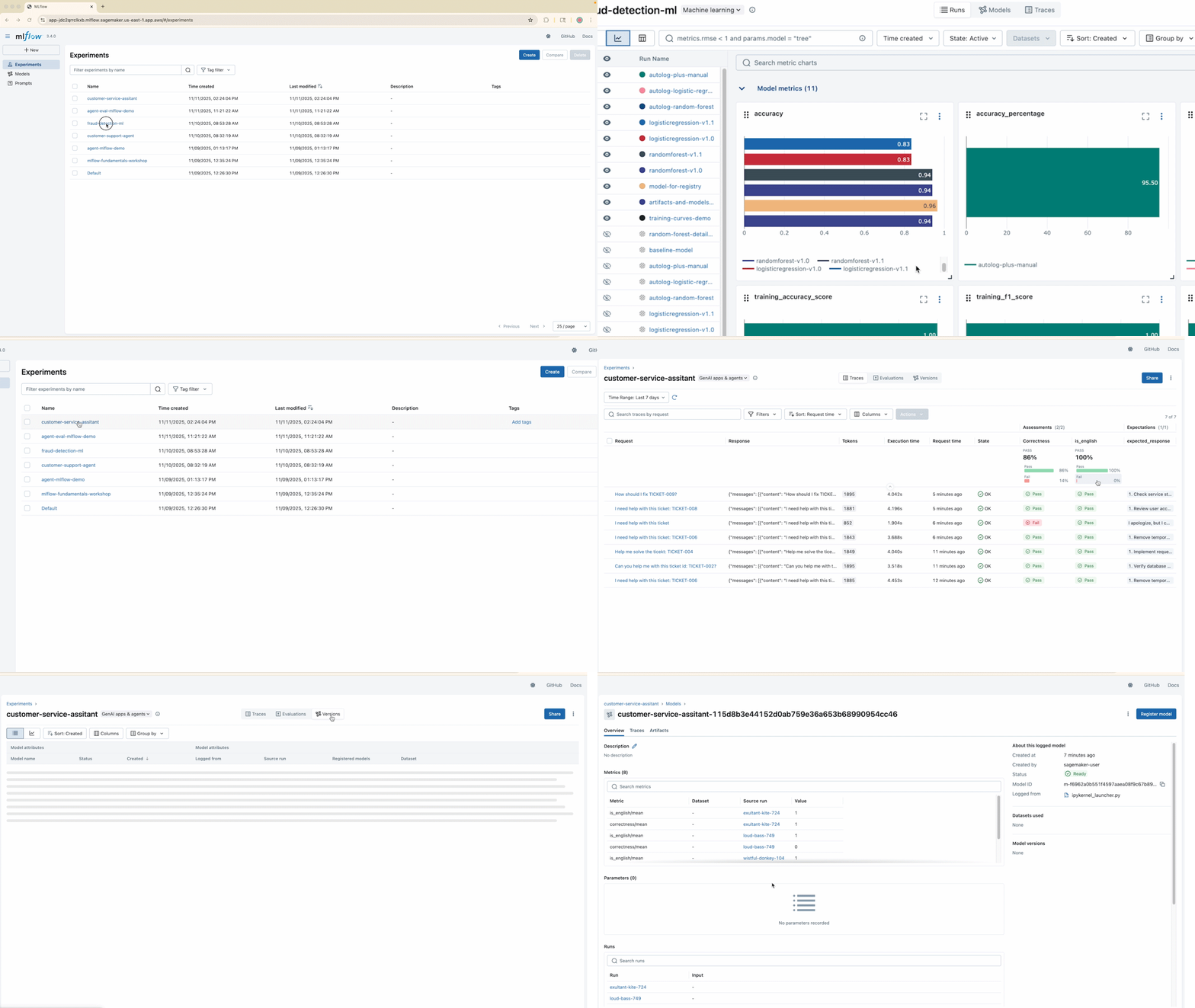
The term MLflow apps replaces the previous MLflow tracking server terminology, reflecting a simplified, application-focused approach. A new MLflow Apps page appears in Amazon SageMaker Studio, and when a SageMaker Studio domain is created, a default MLflow app is provisioned automatically — enterprise-ready out of the box, with no additional configuration.
The MLflow app scales with usage, reducing manual capacity planning: training, tracking and experimentation workloads automatically receive the resources they need. Administrators can define a maintenance window during app creation, during which in-place version upgrades are applied — standardizing and securing MLflow deployments while reducing maintenance overhead. MLflow version 3.4 is supported at launch, extending coverage to classic ML, generative AI applications and agent workloads.
Simplified identity management with MLflow apps
Access control has been streamlined for ML teams. A consolidated permission set — for example sagemaker:CallMlflowAppApi — now covers common MLflow operations, from creating and finding experiments to updating trace information, making access controls far simpler to implement. Simplified IAM permission boundaries let platform administrators standardize roles across teams, individuals and projects, giving consistent, auditable access to MLflow experiments and metadata. Full configuration details are in the SageMaker AI MLflow documentation.
Cross-account sharing of MLflow apps using AWS RAM
Enterprises typically want MLflow infrastructure managed centrally while access is provisioned across many AWS accounts. MLflow apps now support cross-account sharing through AWS RAM, letting platform administrators share MLflow apps with data scientists working in separate consumer accounts.
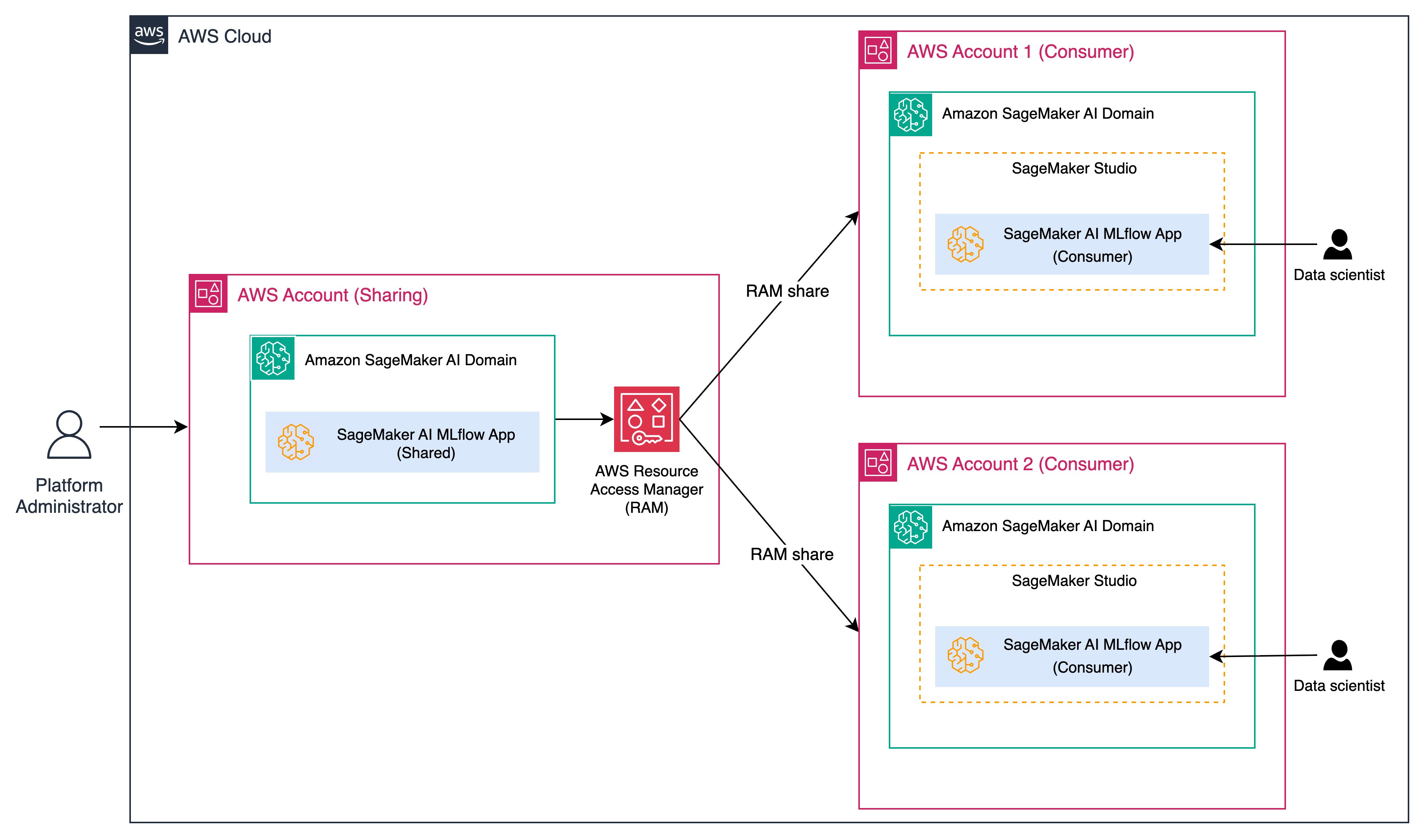
Under this model, administrators maintain a centralized, governed SageMaker domain that provisions and manages MLflow apps, while data scientists in consumer accounts securely launch and interact with them. A downstream user can log experiments and generative AI workloads to the shared app while governance, audit and compliance remain under a single administrative control plane.
SageMaker Pipelines and MLflow integration
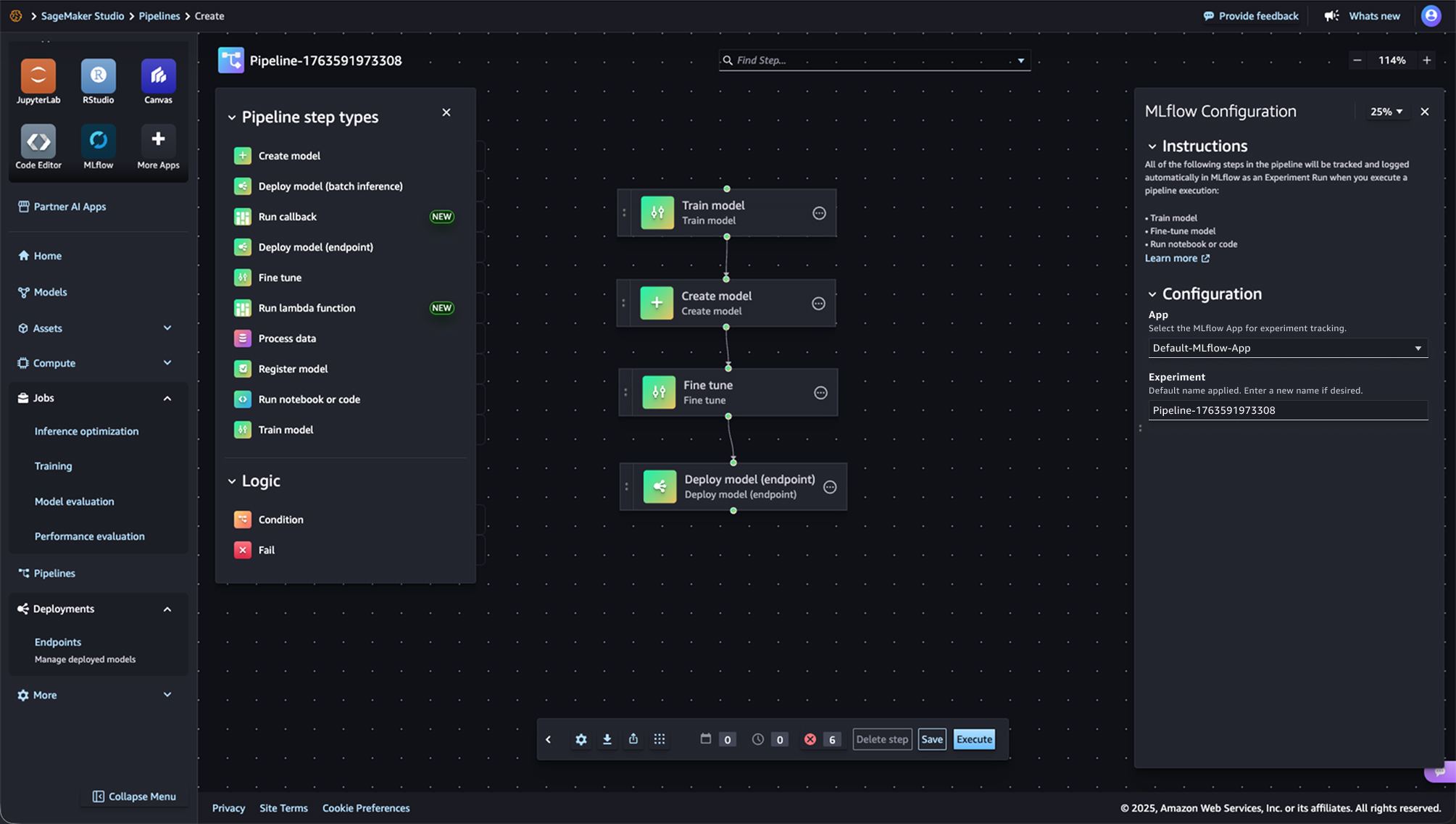
SageMaker Pipelines — the serverless workflow orchestration service built for MLOps and LLMOps automation — now integrates directly with MLflow. Repeatable end-to-end ML workflows can be created, executed and monitored through a drag-and-drop UI or Python SDK. From a pipeline, a default MLflow app is created if one does not already exist, an experiment name can be defined, and metrics, parameters and artifacts are logged to the MLflow app as specified in the pipeline code.
SageMaker model optimization and MLflow integration
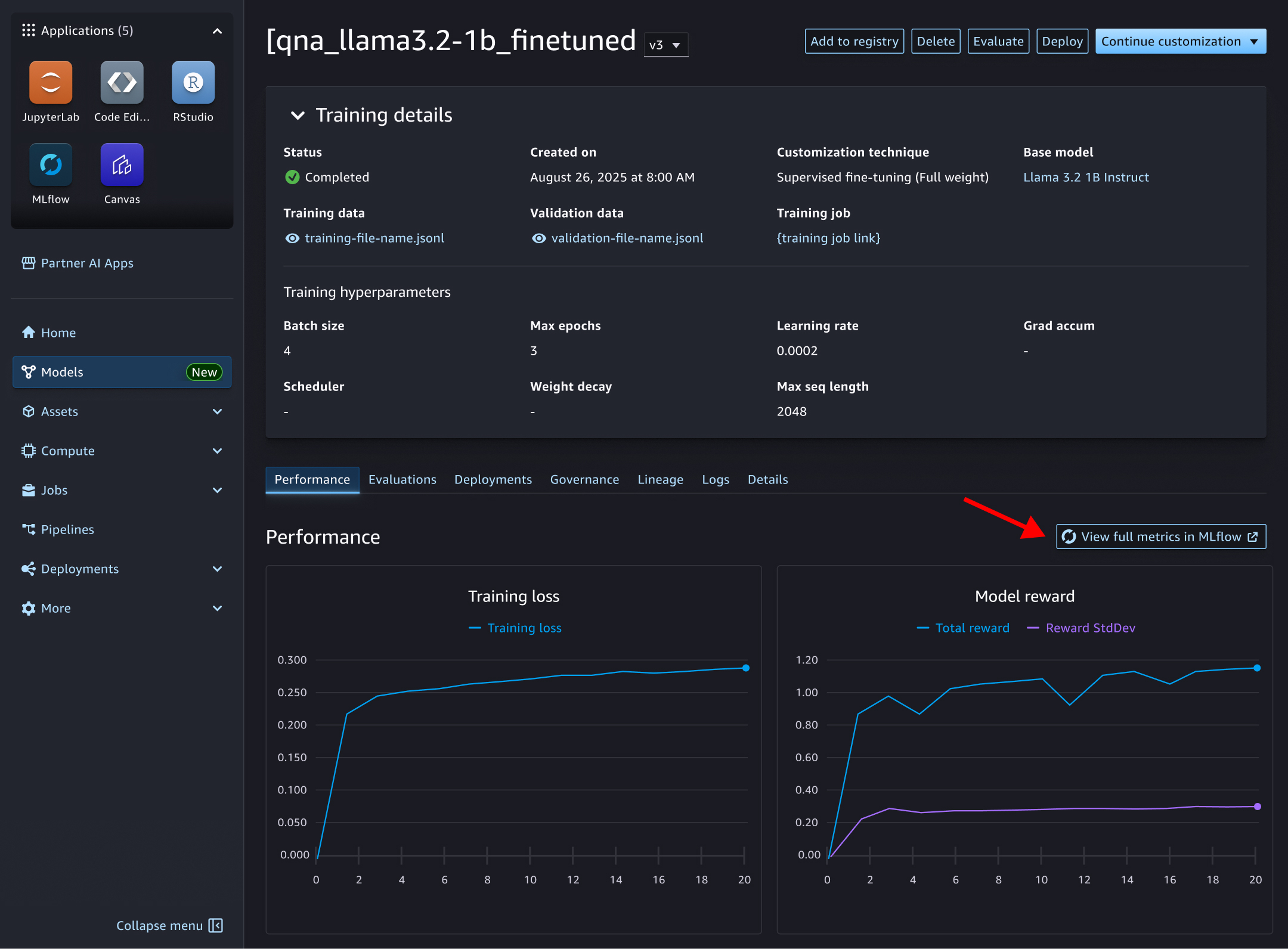
Model optimization jobs also link to MLflow experiments automatically. When a fine-tuning task runs, the default MLflow app is used, an experiment is selected, and metrics, parameters and artifacts are logged without manual instrumentation. Metrics surface on the model optimization task page, with drill-down into the MLflow UI for deeper analysis.
Conclusion
Together, these features position MLflow apps in SageMaker AI for enterprise-scale ML and generative AI workloads with minimal administrative burden. MLflow apps are generally available in AWS regions where SageMaker Studio is available, excluding the China and US GovCloud regions. AWS points newcomers to its GitHub samples repository and workshop materials as starting points.
Limitations and what to watch
A few considerations before adopting. This is vendor-announced functionality: performance and cost behavior under a specific organization’s workload should be validated directly, since serverless pricing models can surprise teams with spiky usage patterns. Deep integration with SageMaker also increases switching costs relative to self-hosted open-source MLflow, which remains an option for teams that prioritize portability. Regional availability and supported MLflow versions change over time and should be checked against current AWS documentation. Finally, managed experiment tracking solves the infrastructure problem but not the governance one — access policies, retention rules and audit practices still need to be designed deliberately, a topic covered further in this guide to AI governance by design.
