
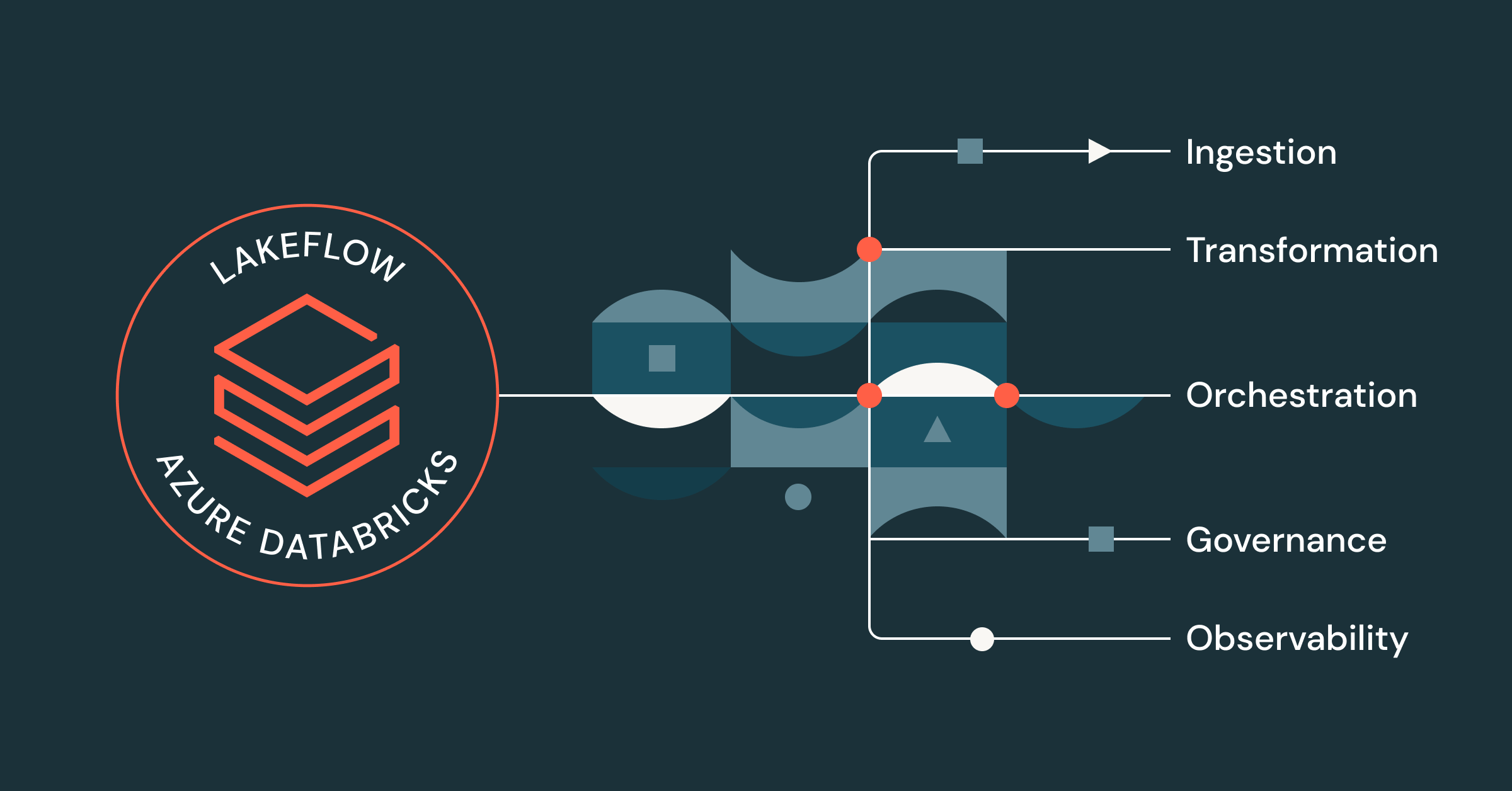
Data engineering teams often juggle a stack of disconnected tools: one system for ingestion, another for transformation, a third for orchestration, and separate layers for security and monitoring. Without a centralized platform or unified governance, the problems compound:
- Inefficient performance and long startup times as work moves between disconnected systems
- Disjointed interfaces and constant context-switching for engineers
- Inconsistent security controls applied differently in each tool
- Complex CI/CD, since every tool deploys its own way
- Limited visibility into data lineage, making errors hard to trace
The outcome is slower teams and less trust in the data they deliver. Lakeflow on Azure Databricks is Databricks’ answer to that fragmentation: a single, Azure-native platform that consolidates the core data engineering functions in one place. This article explains what Lakeflow includes, how its pieces fit together, and what to weigh before adopting it.
What Lakeflow on Azure Databricks Provides
Lakeflow is the data engineering layer of the Databricks Data Intelligence Platform on Azure. With Lakeflow, teams get:
- Built-in data ingestion, transformation, and orchestration in one environment
- Centralized governance and end-to-end lineage through Unity Catalog
- Native integration with Azure services such as Power BI
- Built-in observability for monitoring pipeline health and cost
In plain terms: instead of stitching together five tools and hoping the seams hold, teams build, run, and monitor pipelines inside one environment with one security model.
Simplified Ingestion with Lakeflow Connect
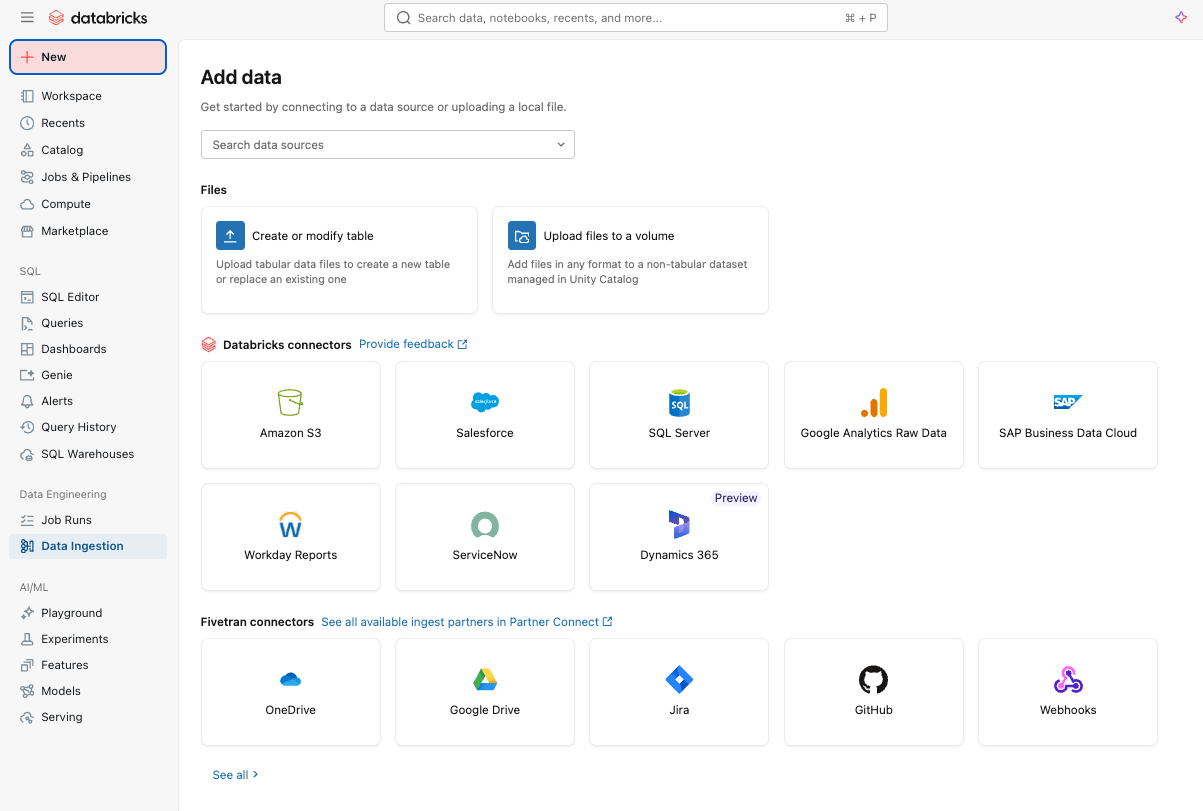
Lakeflow Connect handles getting data in, through a point-and-click interface or a simple API. It supports structured and unstructured data from a wide range of sources, including SaaS applications such as Salesforce, Workday, and ServiceNow, databases such as SQL Server, cloud storage, and message buses. It also respects common Azure networking patterns, such as Private Link and ingestion gateways deployed inside a VNet.
For real-time needs, Zerobus Ingest offers a serverless, direct-write API that pushes event data straight into the platform — removing the need to operate a separate message bus for simple, low-latency ingestion.
Reliable Pipelines with Spark Declarative Pipelines
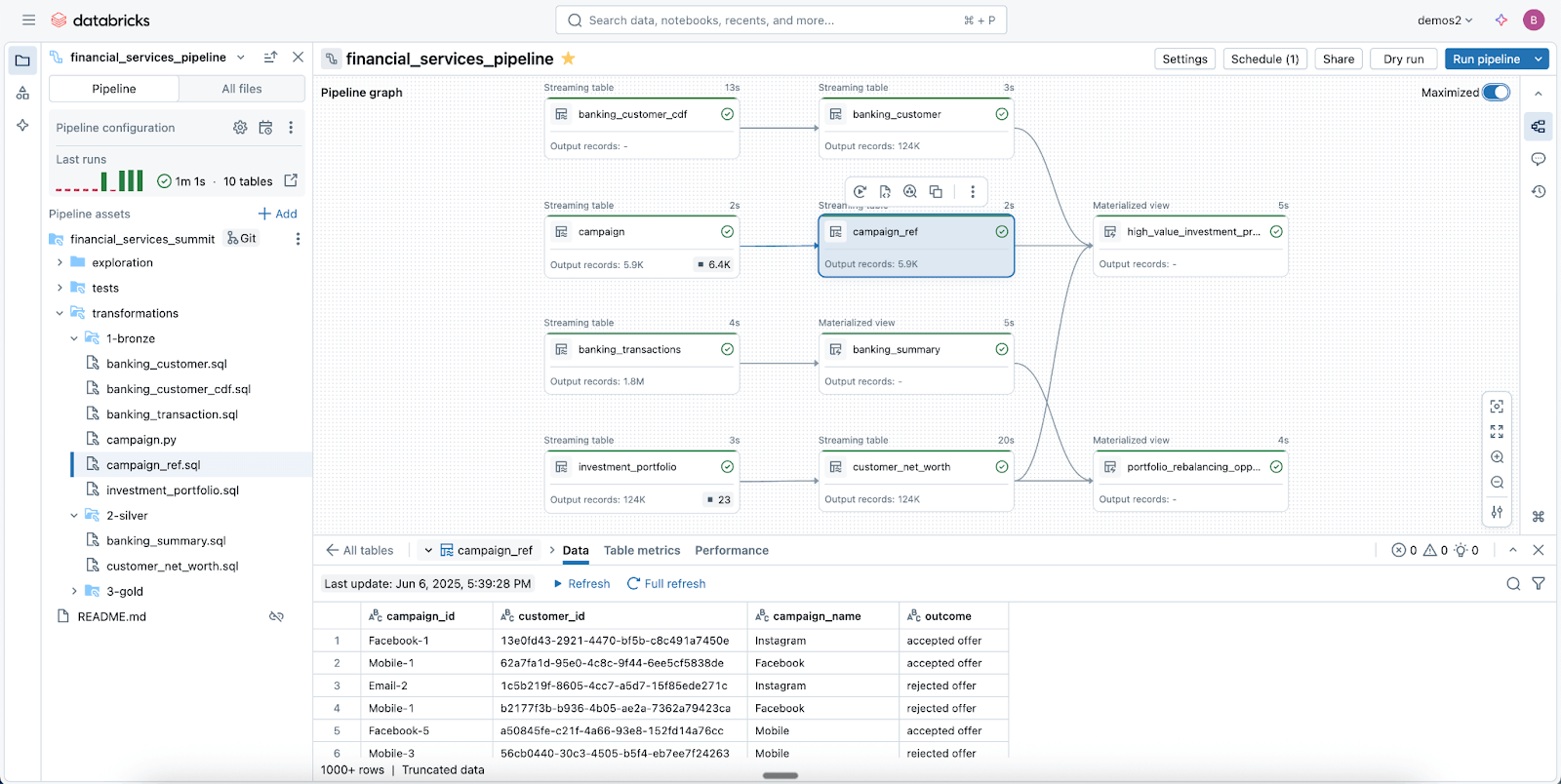
Lakeflow Spark Declarative Pipelines (SDP) is the transformation layer: batch and streaming ETL defined in a few lines of Python or SQL. Rather than hand-coding orchestration logic, engineers declare what the pipeline should produce and the framework handles execution, incremental processing, and common patterns such as slowly changing dimensions (SCD types 1 and 2). It is the power of Spark Structured Streaming with most of the boilerplate removed. Because SDP runs inside Azure Databricks, teams can use Databricks Asset Bundles (DABs) and lakehouse monitoring to deploy production-grade, governed pipelines quickly.
Data-First Orchestration with Lakeflow Jobs
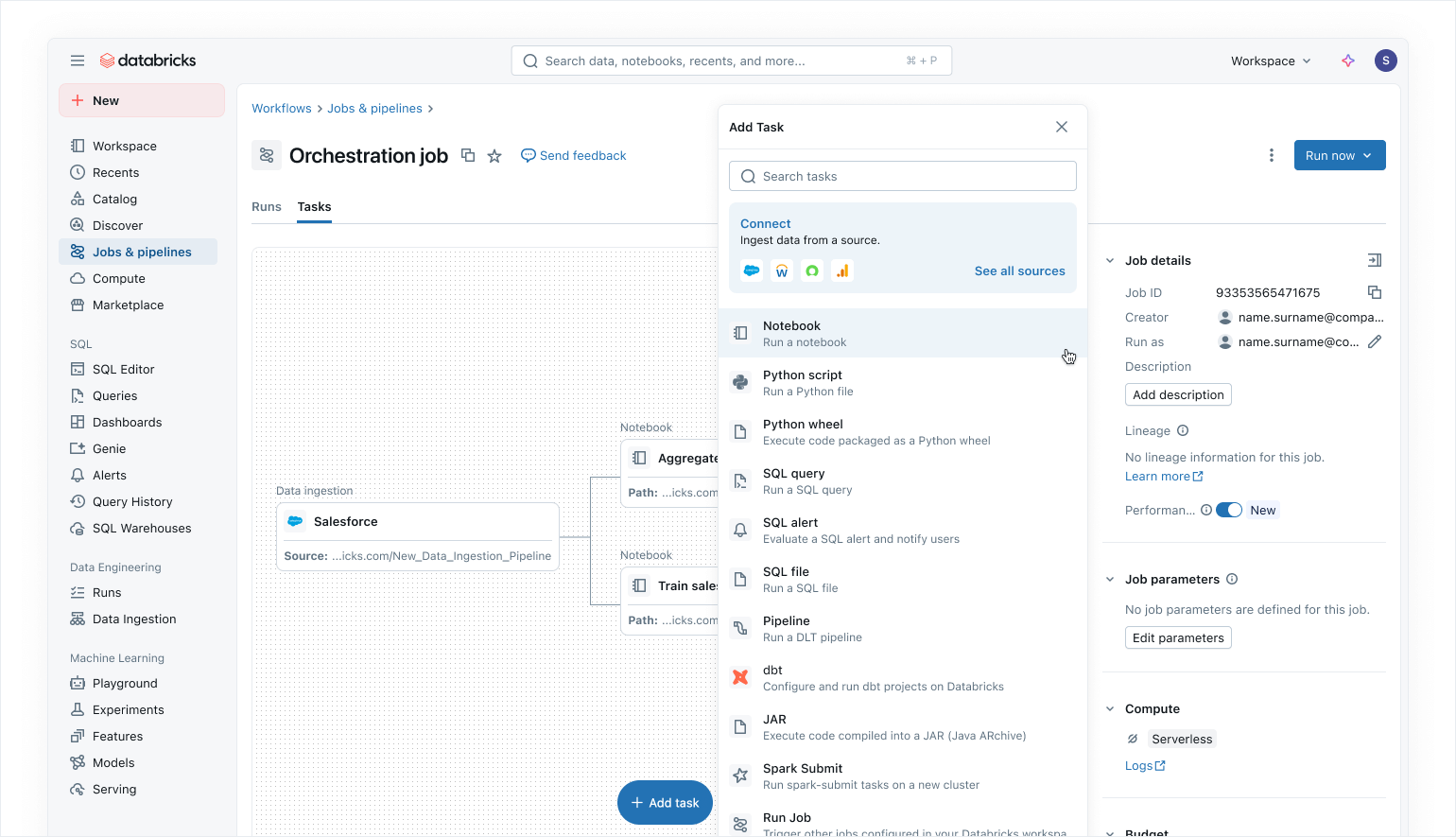
Lakeflow Jobs orchestrates data and AI workloads across the platform, with dependency visualization spanning SQL workloads, Python code, dashboards, and pipelines. Databricks positions it as its most trusted orchestrator, citing 99.9% reliability for large-scale processing. A notable Azure-specific capability: Power BI tasks in Lakeflow Jobs can automatically refresh Power BI semantic models when upstream data changes, keeping reports current without separate scheduling.
Built-In Security and Integrated Governance
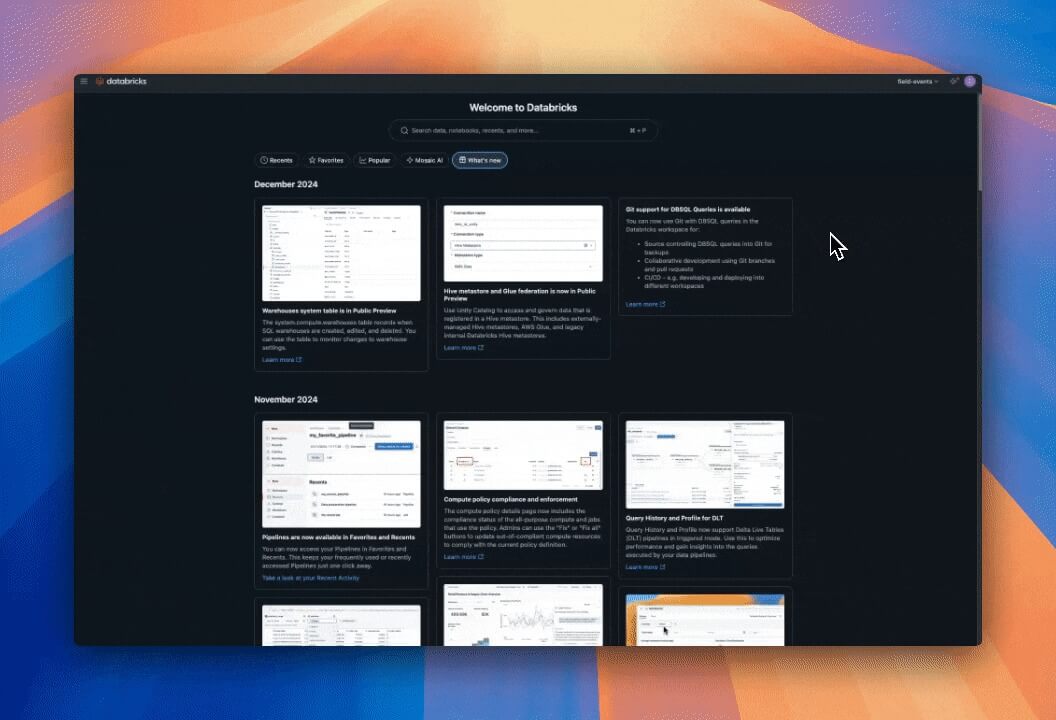
Through Unity Catalog, Lakeflow inherits centralized identity, security, and governance controls across ingestion, transformation, and orchestration. Connections store credentials securely, access policies apply consistently across workloads, and granular permissions control which users and systems can read or write data.
Unity Catalog also provides end-to-end lineage — the ability to trace where data came from and what depends on it, from ingestion through jobs to downstream analytics and Power BI — which simplifies both compliance work and impact analysis. System tables add operational and security visibility into jobs, users, and data usage without stitching together external logs.
Flexible Authoring for Engineers and Business Users
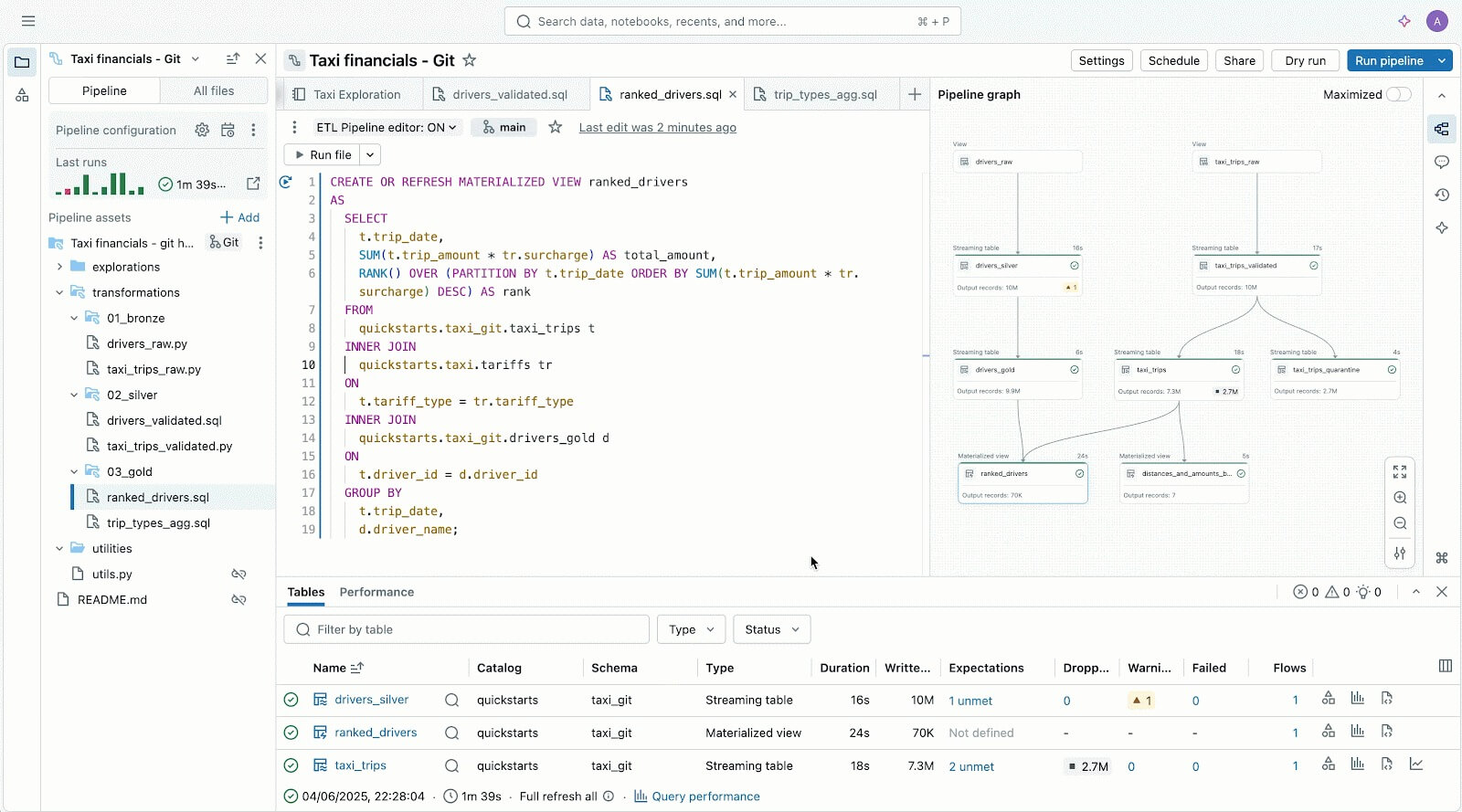
Lakeflow supports both code-first and low-code work. Developers get an IDE-style Pipeline Editor with modern dev tooling, a Python SDK, and Databricks Asset Bundles for repeatable CI/CD patterns. Newcomers and business users can rely on the point-and-click interface for ingestion through Lakeflow Connect. The practical benefit is that one platform serves both the engineer who wants version-controlled pipelines and the analyst who needs a connector working this afternoon.
Observability and Faster Troubleshooting
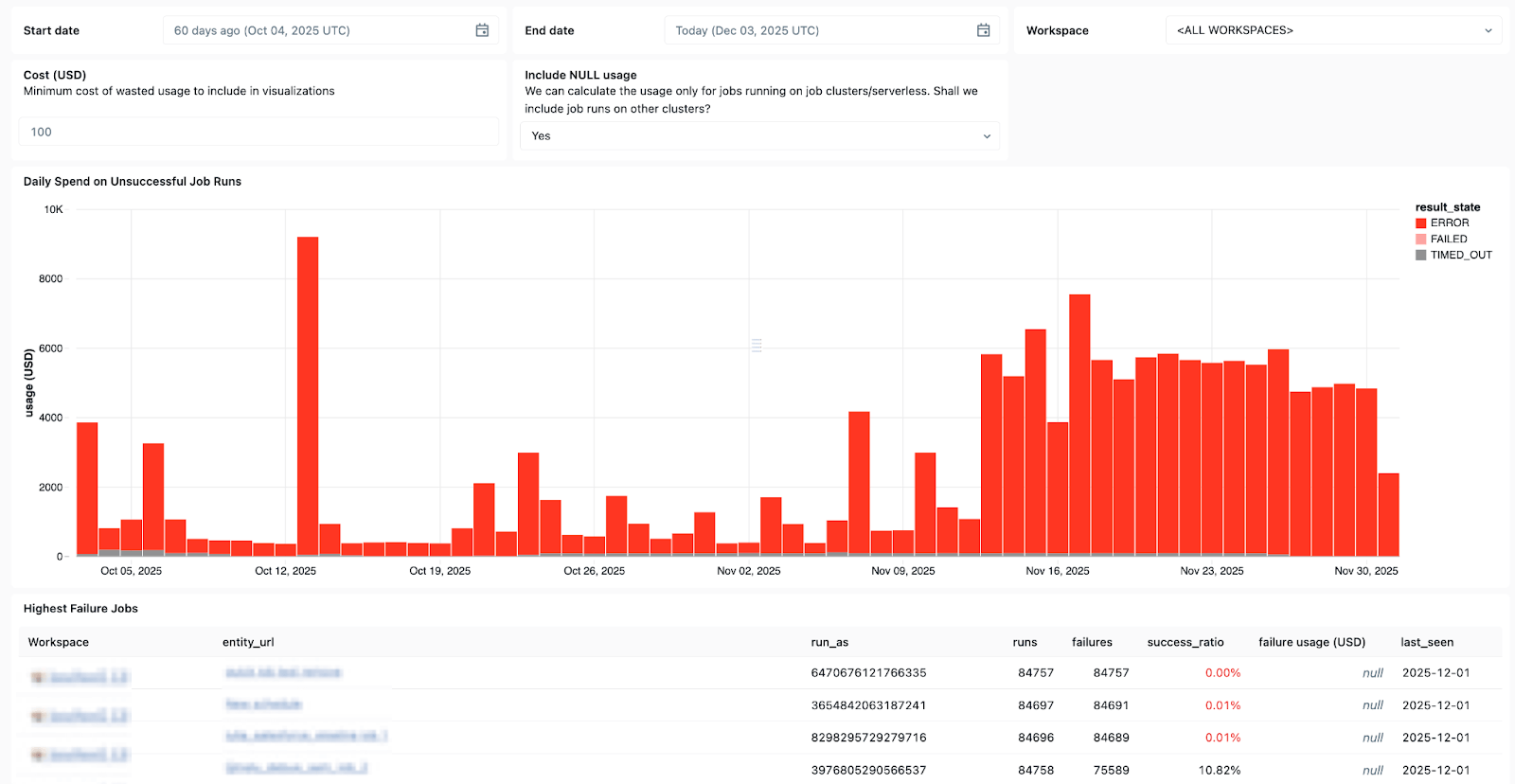
Lakeflow’s integrated run list surfaces performance issues, dependency bottlenecks, and failed tasks in a single view. System tables — now generally available for jobs — support custom dashboards that show which jobs fail most often, overall error trends, and common error messages across a workspace.
When issues do surface, Databricks Assistant — a context-aware AI copilot embedded in Azure Databricks — can help create and troubleshoot notebooks, SQL queries, jobs, and dashboards using natural language, and can generate and explain PySpark or SQL code.
Serverless Compute and Cluster Reuse
Lakeflow supports reusable job clusters, so multiple tasks in a workflow can share the same cluster and avoid cold-start delays, while fine-grained controls let each task target a reusable or dedicated cluster. With serverless compute, cluster reuse reduces spin-up time and gives teams tighter control over data infrastructure costs.
Reported Results — and How to Read Them
Databricks cites strong customer outcomes on Azure: pipeline development up to 25 times faster with build times cut by 70%, performance improvements of up to 90x in some workloads, and ETL cost reductions of up to 83%, with some customers reporting annual savings in the millions. These figures come from the vendor’s own announcement and customer stories and represent best cases, not averages — results depend heavily on the starting architecture and the workload.
Limitations and What to Watch
Consolidation has trade-offs. Standardizing ingestion, transformation, and orchestration on one vendor’s platform deepens dependence on that vendor, and teams should price the exit path, not just the entry. Headline metrics such as “25x faster” are drawn from selected customer stories and will not generalize to every environment; a short proof-of-concept against a representative pipeline is the only reliable benchmark. Serverless and consumption-based pricing simplifies operations but can make costs harder to predict without active monitoring — the same system tables that track job health are worth using for spend visibility from day one. Finally, platform capabilities in this space change quickly, so feature specifics should be checked against current Azure Databricks documentation before an adoption decision. Related reading on this site: data quality monitoring at large scale with agentic AI.
