
Building custom foundation models means coordinating many assets across the development lifecycle: datasets, compute, model architectures, lineage, and production deployments. Data scientists refine training datasets, build custom evaluators to assess model quality and safety, and iterate through fine-tuning configurations. As these workflows scale across teams and environments, tracking which dataset version, evaluator configuration, and hyperparameters produced each model becomes difficult — and teams fall back on manual documentation in notebooks or spreadsheets, making it hard to reproduce successful experiments or trace the lineage of production models.
The problem sharpens in enterprises with separate AWS accounts for development, staging, and production, where models moving through pipelines require constant coordination to preserve visibility into training data, evaluation criteria, and configuration. Amazon SageMaker AI addresses this with capabilities for tracking and managing the assets used in generative-AI development: models, datasets, and custom evaluators can be registered and versioned, with relationships and lineage captured automatically during fine-tuning, evaluation, and deployment.
Dataset registration and versioning
Preparing data for model customization typically produces multiple dataset versions. In SageMaker AI, a dataset is registered with its S3 location and descriptive metadata, and new versions are created as the data evolves — more examples, quality improvements, or use-case-specific adjustments — each version keeping its own metadata and S3 location. When a dataset is used for fine-tuning, SageMaker automatically links the specific version to the resulting model, enabling comparisons between models trained on different data versions and consistent reuse of a version across experiments.
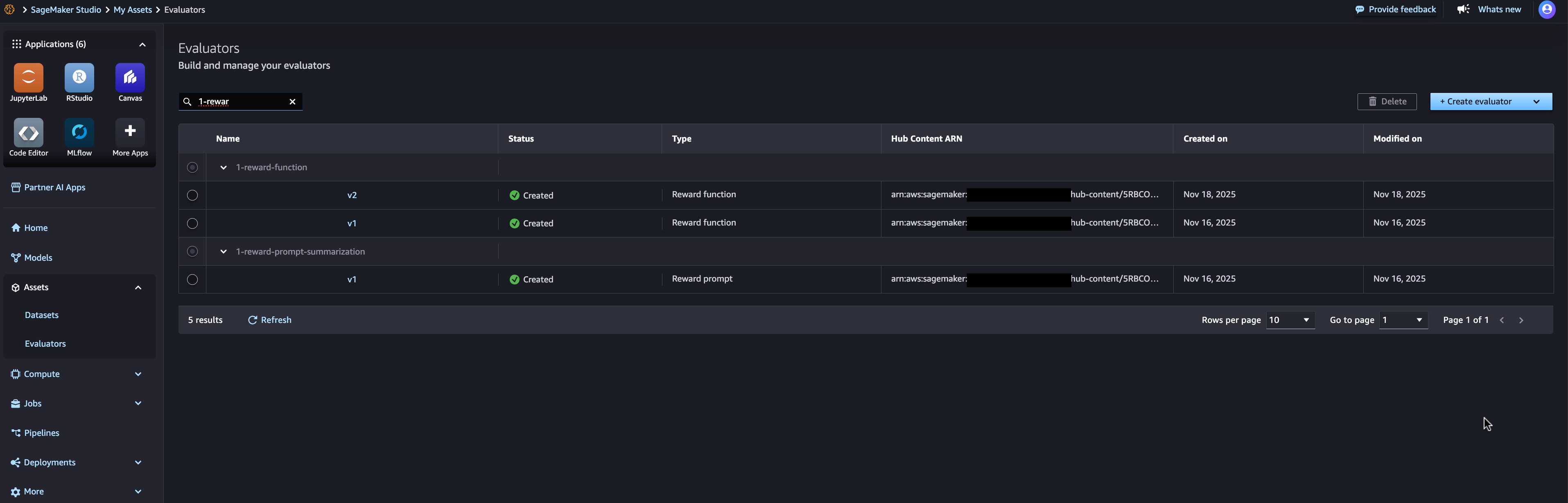
Custom evaluators
Evaluators measuring task-specific accuracy can be implemented as AWS Lambda functions, then registered, versioned, and reused across models and datasets:
Automated lineage tracking
SageMaker AI’s lineage tracking captures relationships between assets automatically. Creating a fine-tuning job links the training run to its input dataset, base foundation model, and output model; running an evaluation job links the evaluation to the model and the evaluators used. No manual documentation is needed — the complete lineage of a model shows its base foundation model, dataset versions, hyperparameters, evaluation results, and deployment location:
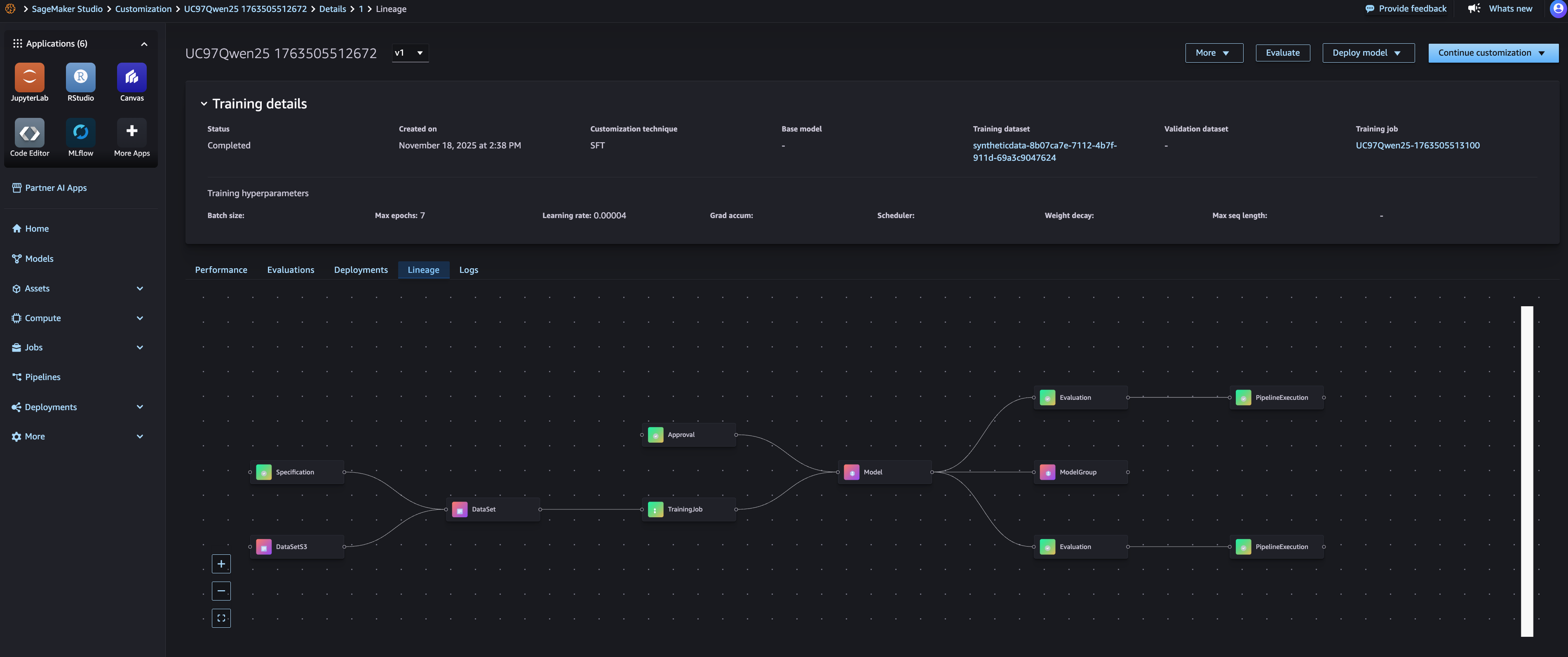
With the lineage view, any deployed model can be traced to its origins. If a production model behaves unexpectedly, the exact training data, fine-tuning configuration, and evaluation criteria are visible — valuable for governance, reproducibility, and debugging. The same information supports faithful re-runs: identifying the exact dataset version, evaluator version, and configuration behind a successful model allows the training process to be recreated with the same inputs.
MLflow integration
Model-customization jobs integrate with SageMaker AI’s managed MLflow by default: an MLflow experiment is selected automatically, and all metrics, parameters, and artifacts are logged without extra setup. Metrics appear on the SageMaker AI Studio model page, with full detail available in the corresponding MLflow experiment:
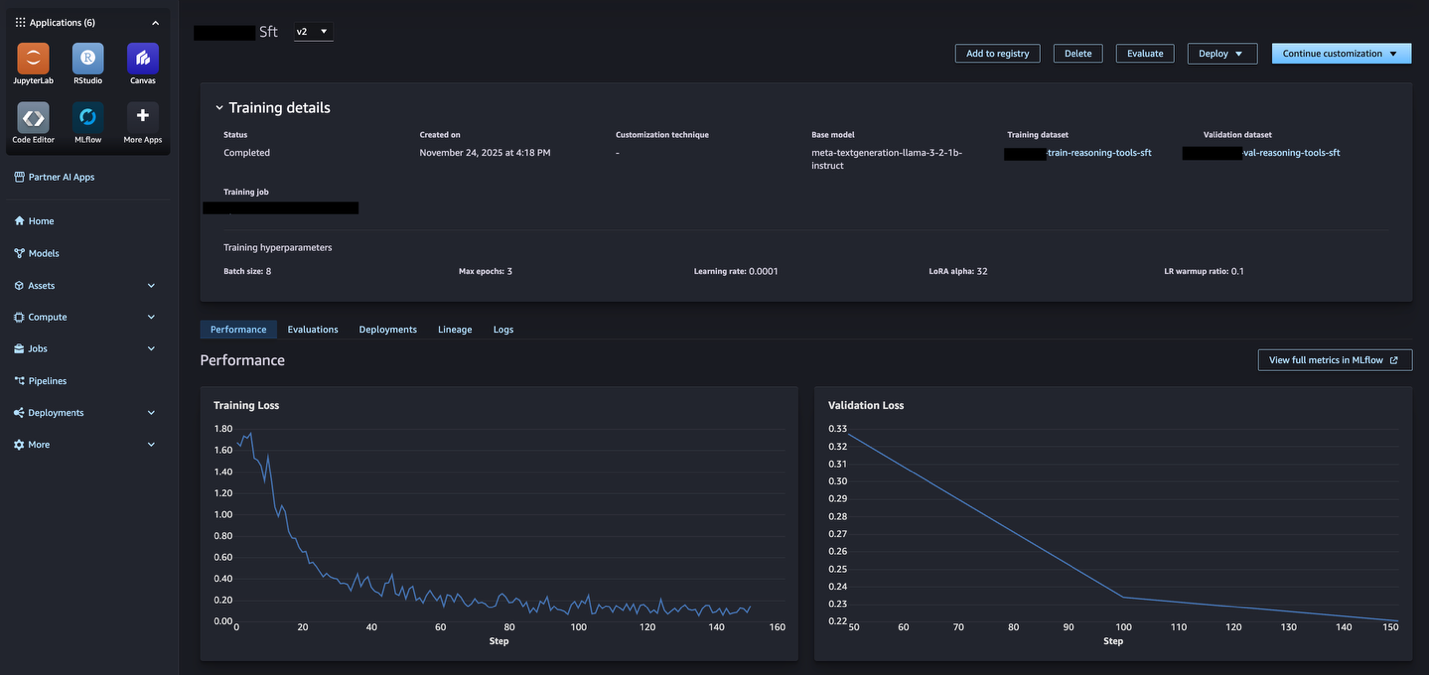
Comparing candidates becomes straightforward — MLflow visualizes performance across experiments to identify the best model, and lineage tracing then reveals which datasets and evaluators produced that result, informing promotion decisions with both quantitative metrics and asset provenance.
Getting started
The workflow is available through Amazon SageMaker AI Studio and the SageMaker Python SDK in supported AWS regions. The path: open the models section in SageMaker AI Studio and customize a base model via JumpStart; use the assets section to manage datasets and evaluators; register a first dataset with its S3 location and metadata; create a custom evaluator from a new or existing Lambda function; and use registered datasets in fine-tuning jobs, letting lineage capture the rest. Details are in the Amazon SageMaker AI documentation.
Limitations and what to watch
Automated lineage is only as complete as the workflows that flow through it: assets created outside SageMaker’s tracked paths (local experiments, third-party training runs) still need deliberate registration, and multi-account setups require IAM and sharing configuration that this overview does not cover. The capability is region-dependent and evolving, so feature availability should be verified for a given region before designing a governance process around it. Teams should also weigh the platform coupling: deep use of SageMaker-native lineage makes future migration harder than tool-agnostic tracking approaches. Related reading on this site: tracking Snowflake ML experiments with SageMaker Managed MLflow.
