
Data teams increasingly run machine-learning experiments inside data platforms such as Snowflake using the Snowpark library — but tracking those experiments across environments is hard without a central repository for metadata, parameters, hyperparameters, models, and results. This guide, based on an AWS Machine Learning Blog walkthrough, shows how Amazon SageMaker Managed MLflow can serve as that central repository, giving teams a unified system for logging experiments run in Snowflake and monitoring their progress.
Why combine SageMaker Managed MLflow with Snowflake
SageMaker Managed MLflow provides fully managed experiment tracking, model packaging, and a model registry; the SageMaker Model Registry streamlines versioning and deployment from development to production, and integrations with Amazon S3, AWS Glue, and SageMaker Feature Store strengthen data management and traceability. On the other side, Snowpark supports custom data pipelines in Python, Scala, or Java for preparing training data held in Snowflake.
Combining the two lets data scientists run transformation and feature engineering in Snowflake, use SageMaker’s managed infrastructure for tracking, and keep workflows within the Snowflake environment where the data already lives — improving security and governance. As Snowpark processes data and trains models, MLflow captures parameters, hyperparameters, metrics, and artifacts, so teams can compare model versions, verify reproducibility, and monitor performance over time. Keeping inference inside Snowflake’s elastic compute can also reduce costs by avoiding separate always-on serving infrastructure.
Solution overview
The integration relies on the Snowflake client library for Python, which lets Python code — for example in a Snowflake notebook or a SageMaker Jupyter notebook — interact with Snowflake, while the sagemaker-mlflow package connects that code to the MLflow tracking server managed by SageMaker.
Prerequisites
Before installing SageMaker MLflow, the following should be in place: a Snowflake account; an S3 bucket for MLflow artifacts; access to Amazon SageMaker Studio; an IAM role serving as the SageMaker domain execution role; and a user with permission to access the S3 bucket. Access to the AWS account should be confirmed via both the console and the AWS CLI, and IAM permissions should follow the principle of least privilege. External access must also be configured for the Snowflake notebook.
Calling the SageMaker MLflow tracking server from Snowflake
The setup proceeds in a few steps inside Snowflake. First, create a notebook under a non-administrative role, choosing a database, schema, and warehouse, and selecting the container runtime:

Next, under Notebook Settings > External Access, enable the required integrations so the notebook can reach external endpoints. Then install the connector library:
!pip install sagemaker-mlflowRun the MLflow configuration code, replacing the ARN value with the tracking server’s ARN:
import mlflow
import boto3
import logging

sts = boto3.client("sts")
assumed = sts.assume_role(
RoleArn="",
RoleSessionName="sf-session"
)
creds = assumed("Credentials")

arn = ""

try:
mlflow.set_tracking_uri(arn)
mlflow.set_experiment("Default")
with mlflow.start_run():
mlflow.log_param("test_size", 0.2)
mlflow.log_param("random_state", 42)
mlflow.log_param("model_type", "LinearRegression")
except Exception as e:
logging.error("Failed to set tracking URI: {e}") 
Figure: Installing the sagemaker-mlflow library.
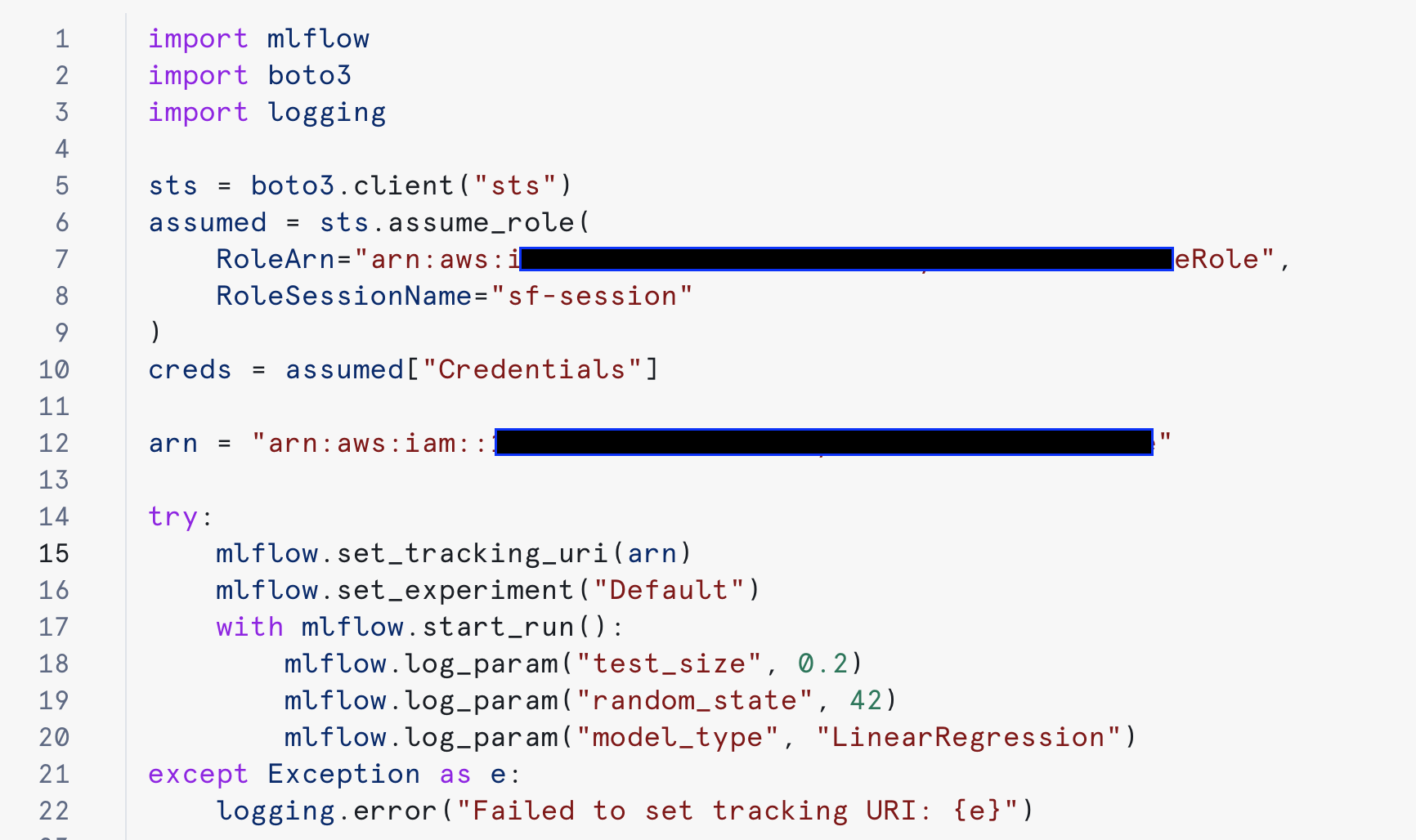
Figure: Configuring and using MLflow.
Once the test succeeds, experiments logged from Snowflake appear in SageMaker:
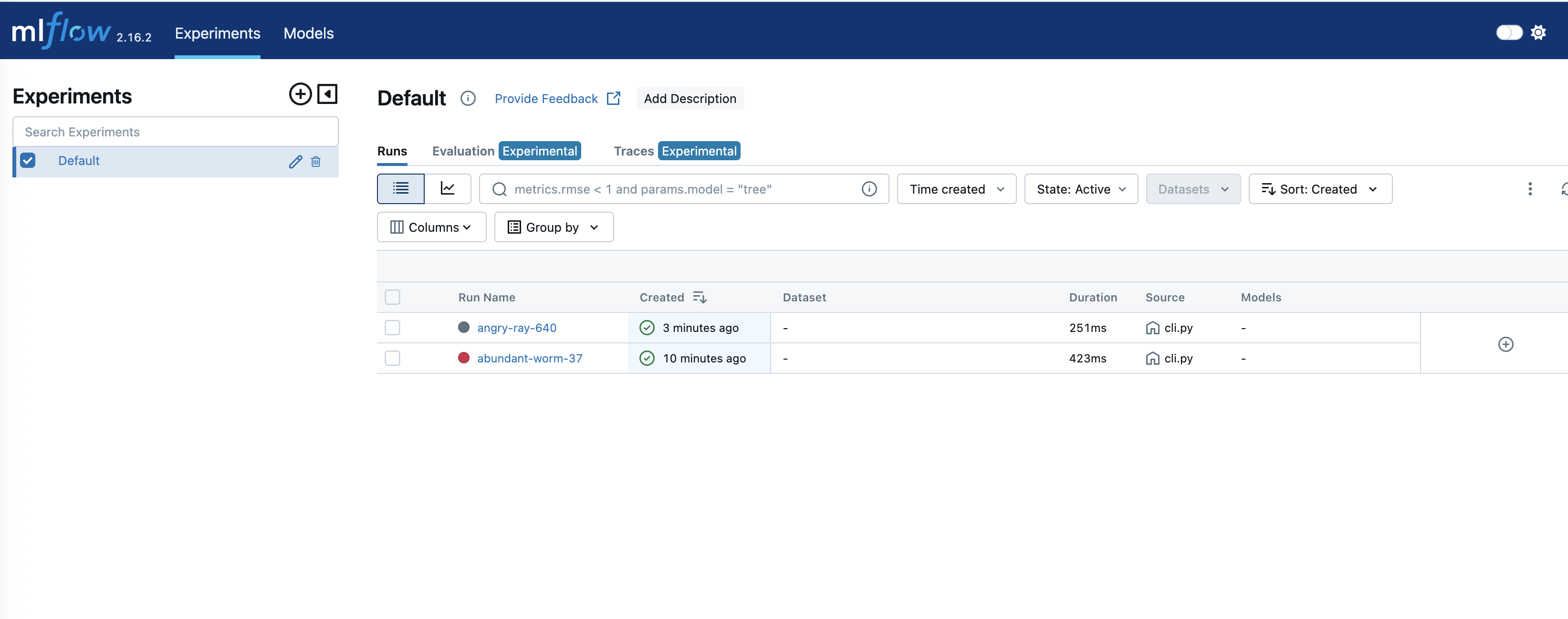
Figure: Tracking experiments in SageMaker MLflow.
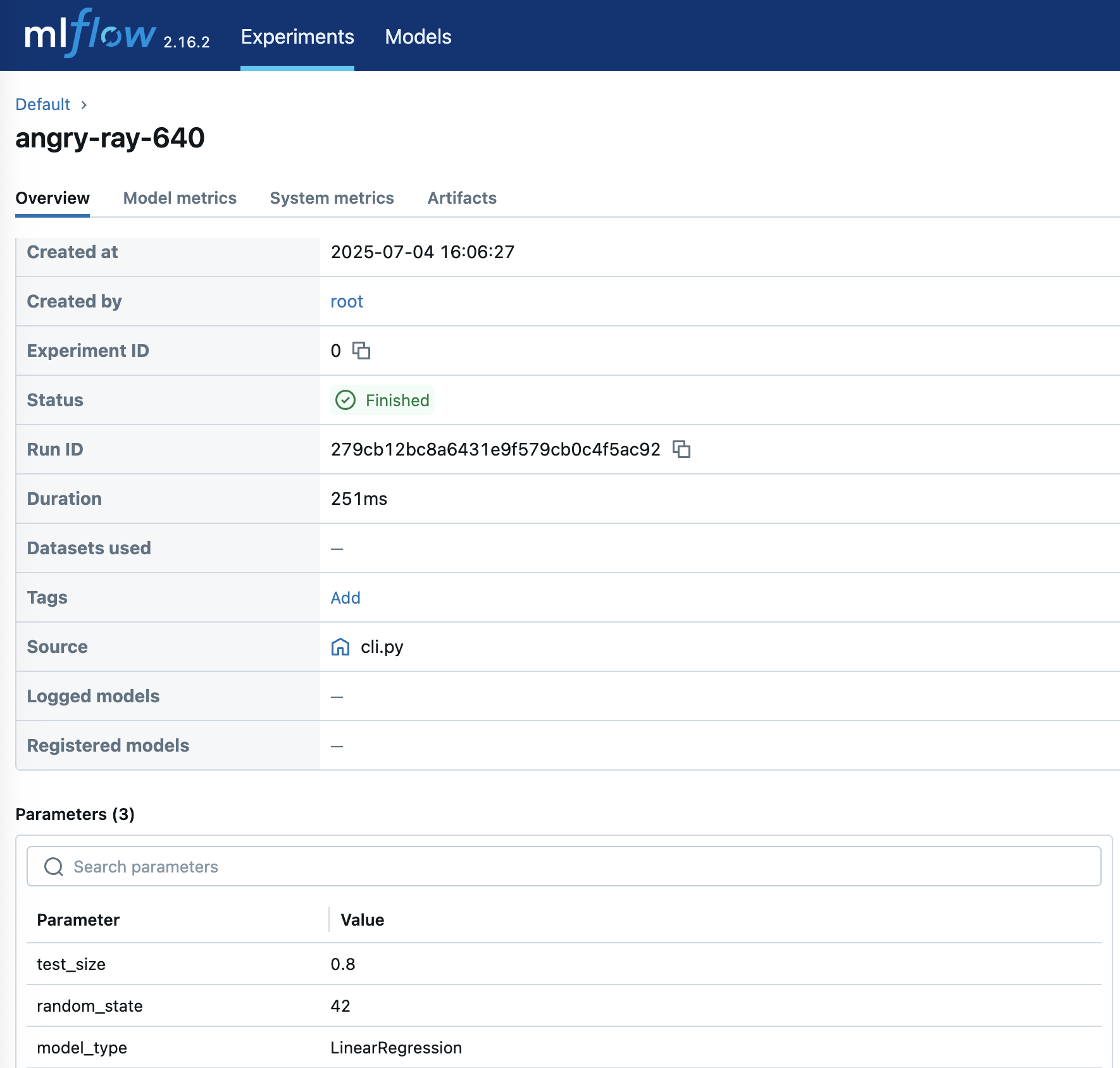
Details of any experiment are available by selecting the corresponding run name:
Conclusion, limitations, and what to watch
This integration gives teams a standardized ML workflow: feature engineering and training data in Snowflake, centralized experiment tracking and a model registry in SageMaker, and a cleaner path from development to production. The step-by-step setup above — tracking server in SageMaker Studio, external access and the sagemaker-mlflow library in Snowflake — is a starting point to adapt to specific requirements.
A few caveats: cross-platform integrations add operational surface area, so credentials and IAM roles must be secured carefully and reviewed against least-privilege principles; egress from Snowflake notebooks to external endpoints is a governance decision worth clearing with security teams; and both SageMaker’s managed MLflow and Snowflake’s notebook features evolve quickly, so the current AWS and Snowflake documentation should be checked for updated APIs and pricing. Related reading on this site: deploying Voxtral on Amazon SageMaker and modernizing data engineering with Lakeflow.
