

Introduction
Building machine learning models manually means a long series of decisions: cleaning the data, choosing the right algorithm, tuning hyperparameters. The trial-and-error can consume hours or days. TPOT — the Tree-based Pipeline Optimization Tool — is a Python library that automates this search using genetic algorithms. It treats pipelines like populations in nature: it tries many combinations, evaluates their performance, and “evolves” the best ones over several generations. This guide walks through how TPOT works and a complete practical example.
How does TPOT work?
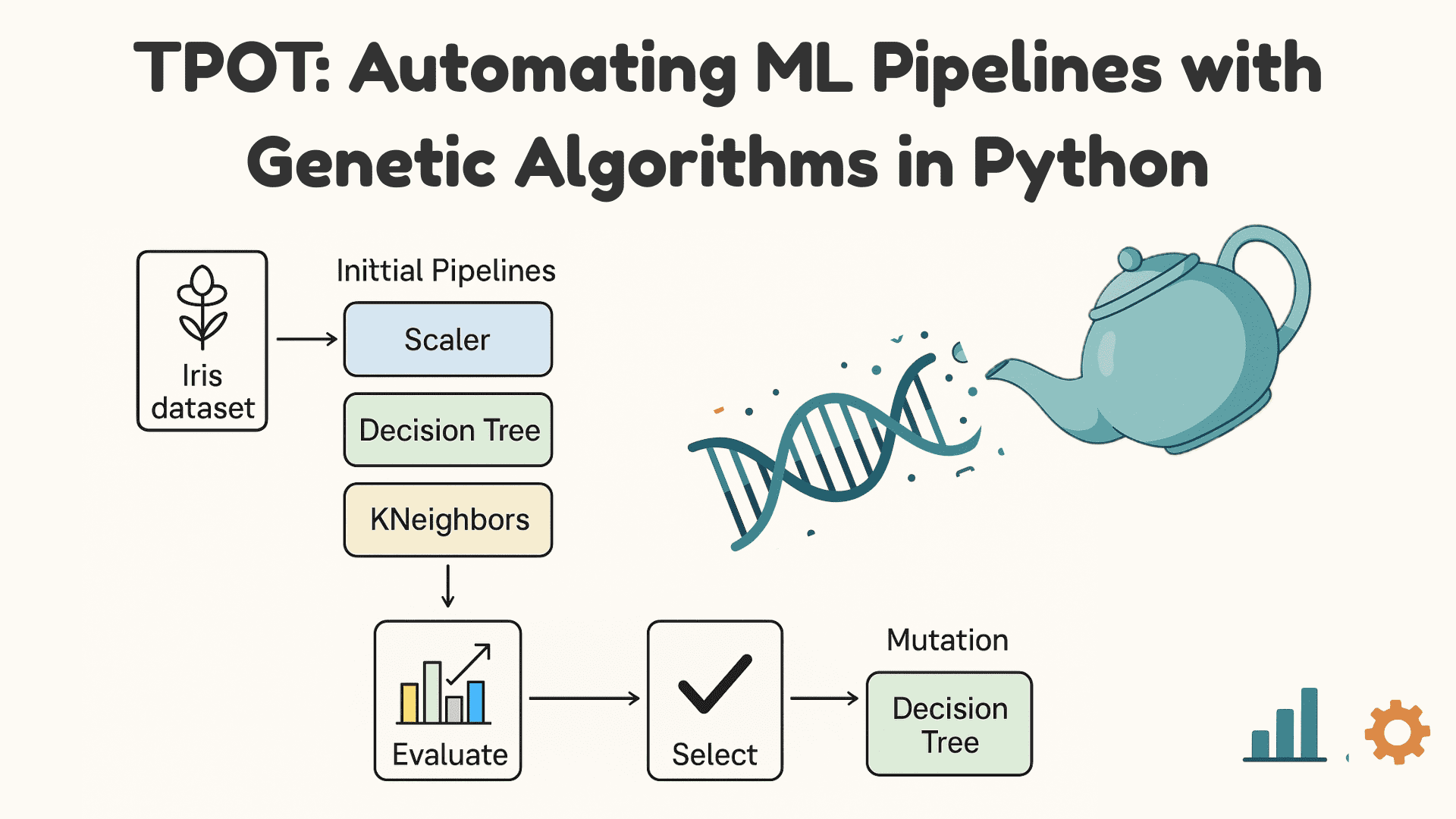
TPOT is built on genetic programming, a technique inspired by natural selection. Instead of evolving organisms, it evolves computer programs — in this case, machine learning pipelines. The process runs in four stages. First, pipeline generation: TPOT starts with a random population of pipelines combining preprocessing steps and models. Second, fitness evaluation: each pipeline is trained and scored on the data. Third, selection and reproduction: the best performers are selected to produce new pipelines through crossover and mutation. Fourth, iteration: the cycle repeats across generations until the best-performing pipeline emerges.

The following sections set up and use TPOT in Python.
1. Installing TPOT
TPOT installs from PyPI with pip install tpot (see the official documentation for environment specifics).
2. Importing the libraries
from tpot import TPOTClassifier
from sklearn.datasets import load_iris
from sklearn.model_selection import train_test_split
from sklearn.metrics import accuracy_score
3. Loading and splitting the data
This example uses the classic Iris dataset:
iris = load_iris()
X, y = iris.data, iris.target

X_train, X_test, y_train, y_test = train_test_split(X, y, test_size=0.2, random_state=42)
load_iris() provides the features X and labels y, while train_test_split holds out a test set so final performance can be measured on unseen data. All candidate pipelines are trained on the training portion and validated internally — TPOT uses internal cross-validation during fitness assessment.
4. Initializing TPOT
tpot = TPOTClassifier(
    generations=5,
    population_size=20,
    random_state=42
)
Two parameters control how long and how widely TPOT searches. generations=5 runs five evolution cycles, each producing a new set of candidates based on the previous generation. population_size=20 keeps 20 candidate pipelines per generation. Setting random_state makes results reproducible.
5. Training the model
tpot.fit(X_train, y_train)When tpot.fit(X_train, y_train) runs, TPOT generates candidate pipelines, trains and cross-validates each, retains the top performers, then mixes and mutates them into the next generation — repeating for the configured number of generations while always tracking the best pipeline found so far.
Output:

6. Evaluating accuracy
The final check is how the selected pipeline behaves on unseen data:
y_pred = tpot.fitted_pipeline_.predict(X_test)
acc = accuracy_score(y_test, y_pred)
print("Accuracy:", acc)
7. Exporting the best pipeline
The fitted pipeline can be saved for later use — note the dump import from joblib:
from joblib import dump

dump(tpot.fitted_pipeline_, "best_pipeline.pkl")
print("Pipeline saved as best_pipeline.pkl")
joblib.dump() stores the entire fitted model as best_pipeline.pkl.
Pipeline saved as best_pipeline.pklLoading it later takes one line:
from joblib import load

model = load("best_pipeline.pkl")
predictions = model.predict(X_test)
This makes models reusable and straightforward to deploy.
Wrapping up
Genetic programming can automate a substantial share of pipeline design, and TPOT packages the idea in a few lines of Python. Some practical context belongs alongside the demo, though. AutoML search is compute-hungry: on real datasets, generations of cross-validated training can take hours, and results depend heavily on the time budget allowed. The Iris dataset is deliberately easy — expect far less dramatic wins on messy production data, where cleaning and preparing the data usually moves accuracy more than optimizer choice does. Exported pipelines should also be re-validated on fresh data before deployment, since evolutionary search can overfit its validation folds. Finally, the AutoML landscape has grown competitive — auto-sklearn, FLAML and cloud AutoML services solve the same problem with different trade-offs — so TPOT is best treated as one strong option for automating pipeline search, and as an excellent way to learn how genetic algorithms apply to machine learning.
